A Basic Printable Payment Slip With Professional Layout can streamline your payment processes, making it easier for small business owners to manage transactions. This resource serves as a clear and organized format for documenting payments, which is crucial for maintaining accurate financial records. Whether you’re collecting payments from clients or issuing refunds, having a professional layout helps convey trust and clarity.
Understanding the Purpose of a Payment Slip
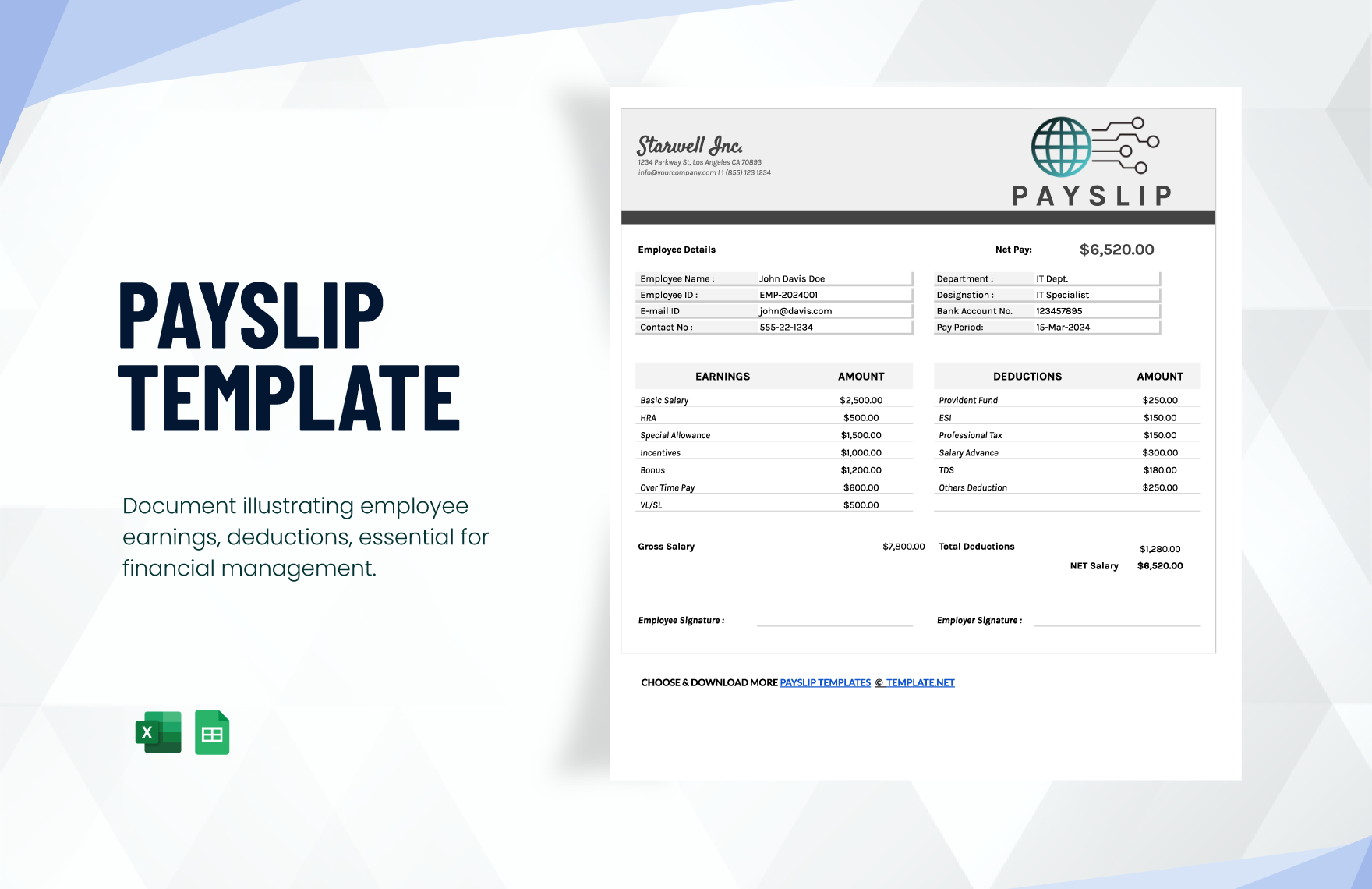
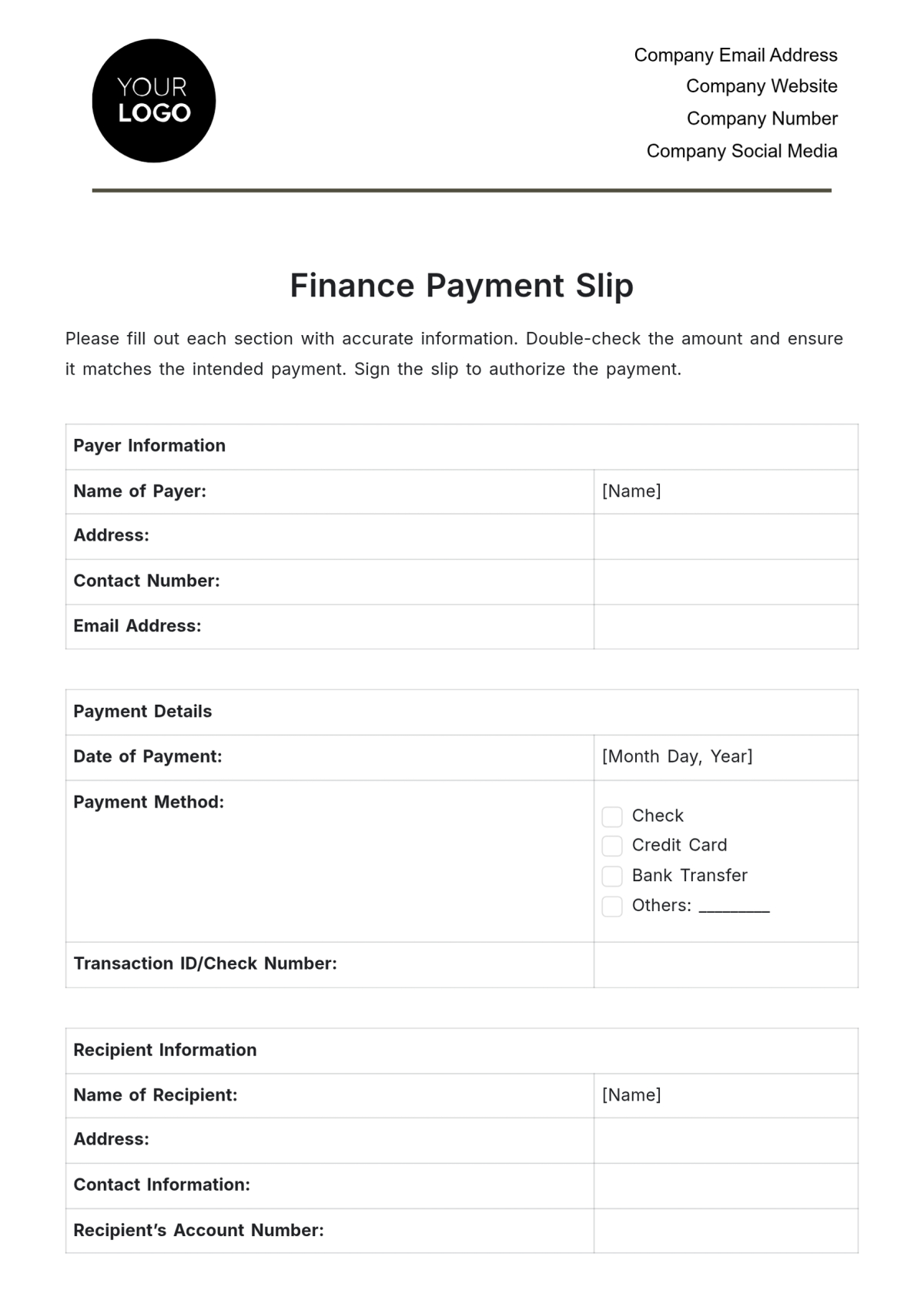
A payment slip is a simple yet effective tool used to track financial transactions between a business and its clients. It typically includes essential details such as the payer’s name, payment amount, date, and a unique reference number. By using a Basic Printable Payment Slip With Professional Layout, you ensure that all necessary information is captured neatly and consistently.
This document not only serves as proof of payment but also helps in reconciling accounts during bookkeeping. For small businesses, maintaining organized records is vital for accurate financial reporting and tax preparation.
Key Features of a Professional Payment Slip
When selecting or creating a payment slip, consider these key features that contribute to a professional appearance:
- Clarity: Information should be easy to read and understand. Use clear headings and a logical layout.
- Branding: Incorporate your business logo and colors to reinforce your brand identity.
- Fields for Essential Information: Ensure there are designated spaces for all necessary details, including:
- Payer’s name
- Payment amount
- Payment method (cash, check, credit card)
- Date of transaction
- Reference number or invoice number
A well-structured payment slip helps prevent errors and misunderstandings between you and your clients.
How to Use the Printable Payment Slip
Using a Basic Printable Payment Slip With Professional Layout is straightforward. Here’s a practical guide to getting started:
- Download and Print: First, access the printable payment slip template from a reliable source. Ensure it’s in a format compatible with your printer, such as PDF, to avoid formatting issues. Print on standard letter-sized paper (8.5 x 11 inches) for convenience.
- Fill Out the Slip: When receiving a payment, fill in the slip with the relevant details. This includes the payer’s name, amount received, date, and payment method.
- Provide a Copy to the Payer: Once completed, hand a copy to the payer for their records. This not only serves as proof of payment but also enhances customer trust.
- File the Slip for Your Records: Keep the original for your bookkeeping. Organizing these slips by date or client can simplify your accounting tasks later.
- Review Regularly: Periodically review your payment slips to ensure all transactions are accounted for and reconcile them with bank statements.
Tips for Customizing Your Payment Slip
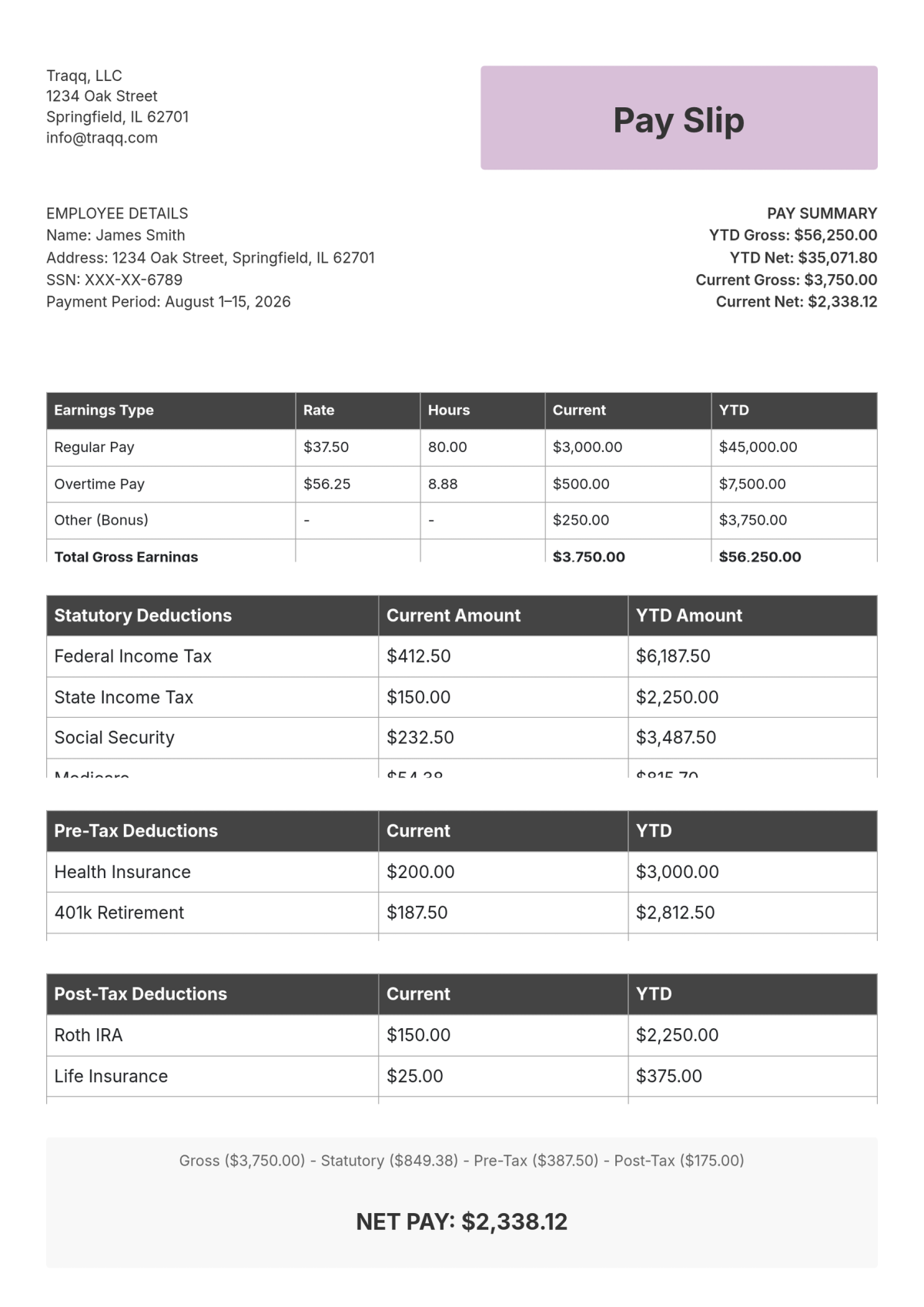
Customization can make your payment slip more effective. Here are some tips:
- Choose the Right Size: While letter size is standard, consider using a half-sheet (5.5 x 8.5 inches) format if you need to save paper or for smaller transactions.
- Incorporate QR Codes: If applicable, adding a QR code can link to your payment processor or website, making it easier for clients to pay online.
- Use High-Quality Paper: For a professional feel, print on heavier paper or cardstock, especially if the payment slip will be handed out frequently.