Managing personal finances can often feel overwhelming, especially when it comes to keeping track of payments. A Customizable Printable Payment Slip For Google Sheets is a practical tool that can help streamline this process. Using a payment slip in Google Sheets not only helps you stay organized but also allows for easy customization to fit your specific needs.
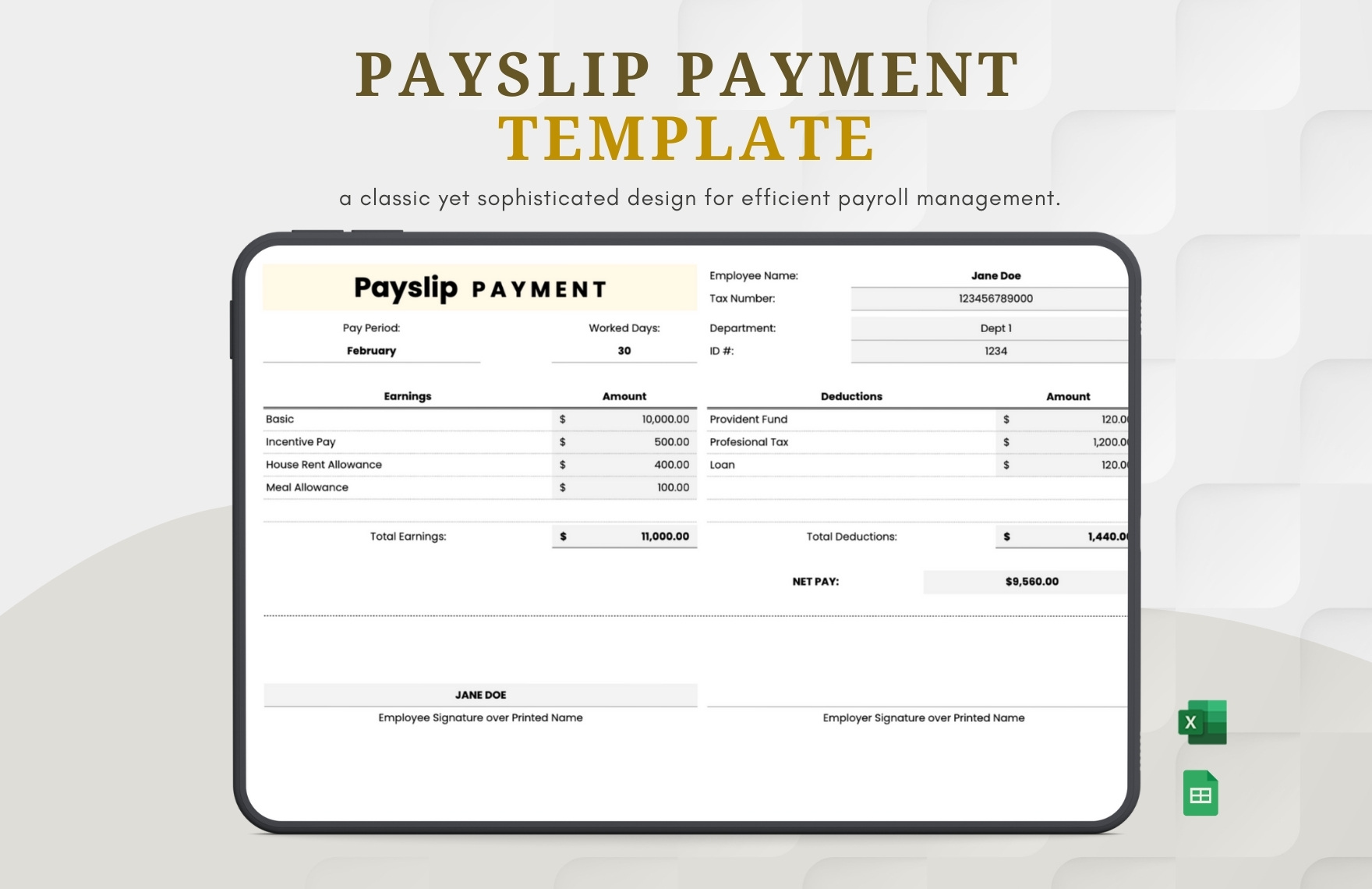
Understanding the Benefits of a Payment Slip
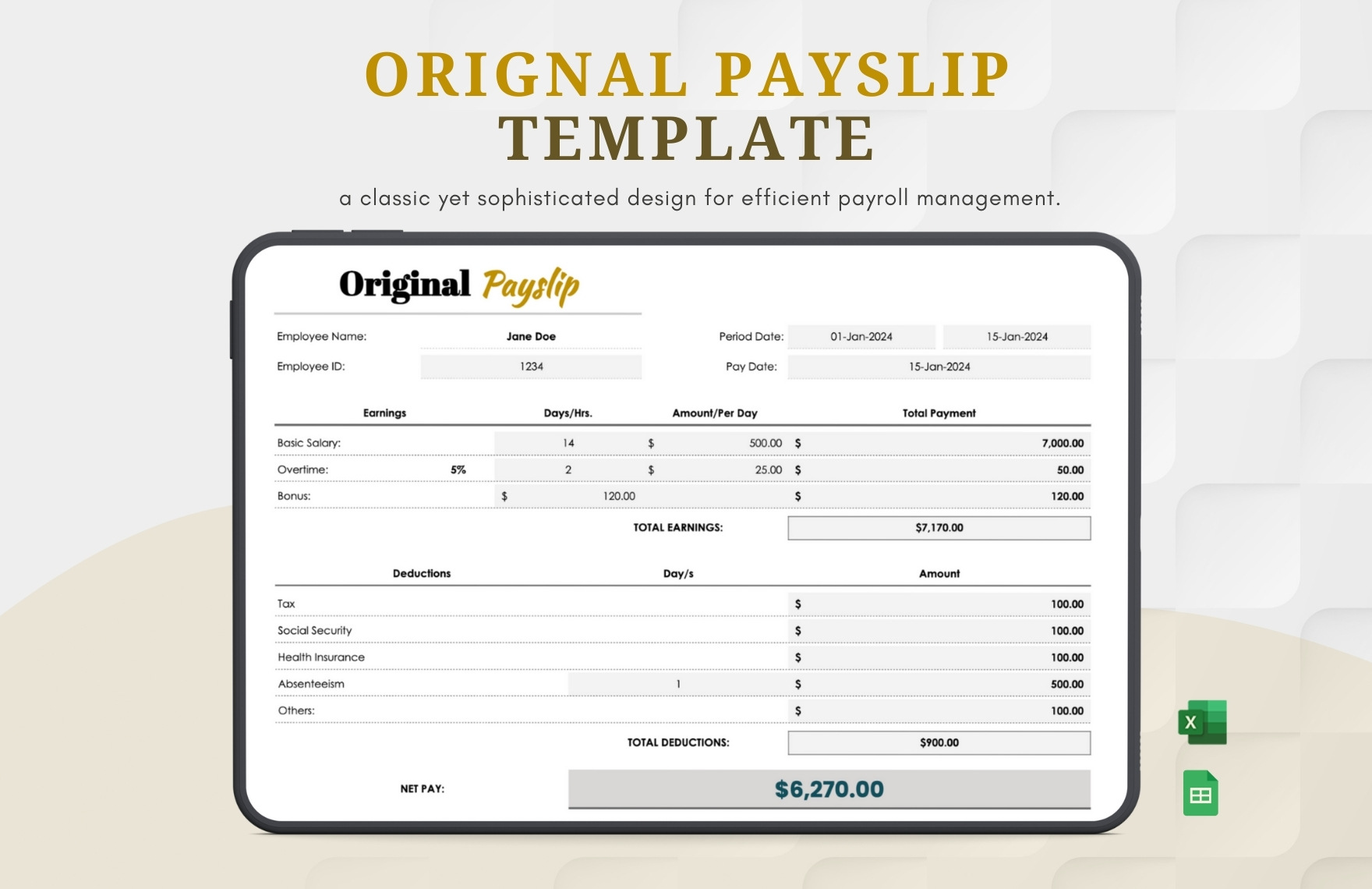
A payment slip is essentially a document that outlines the details of a payment made or received. It can serve multiple purposes—whether you’re managing your household bills, tracking freelance payments, or keeping records for a small business. Here are some key benefits of using a customizable payment slip:
- Organization: It helps you keep all payment information in one place.
- Easy Tracking: You can quickly locate past payments and their details.
- Professionalism: A well-formatted payment slip can enhance your professional appearance when dealing with clients or vendors.
How to Create Your Customizable Printable Payment Slip in Google Sheets
Creating your payment slip in Google Sheets is straightforward. Here’s a step-by-step guide:
- Open Google Sheets: Go to Google Drive and create a new spreadsheet.
- Set Up Your Template: Label your columns with headings such as “Date,” “Payment Amount,” “Description,” and “Received By.” You can also add columns for “Payment Method” and “Notes” if needed.
- Format the Sheet: Use bold text for headings and adjust column widths to ensure all information is clearly visible. Consider using borders to distinguish different sections.
- Add Formulas: If you want to automatically calculate totals, you can use the SUM function to add up your payment amounts. This feature is particularly helpful for tracking cumulative payments over time.
- Customize: Change colors or fonts to match your personal style or branding. Google Sheets offers a variety of formatting options to make your payment slip visually appealing.
- Save and Print: Once you’ve completed your slip, save it. You can easily print it directly from Google Sheets when needed.
Tips for Using Your Payment Slip Effectively
To maximize the benefits of your customizable payment slip, here are some practical tips:
- Regular Updates: Make it a habit to update your payment slip regularly. This ensures that your records are always current and accurate.
- Back-Up Your Data: Consider saving a copy of your payment slip outside Google Sheets, such as on your computer or a cloud service. This way, you won’t lose any important information.
- Utilize Filters: Use Google Sheets’ filter feature to quickly sort through payments by date, amount, or type. This can save you time when searching for specific transactions.
- Share with Others: If you’re managing payments with a partner or team, you can share your Google Sheets document. This allows everyone to stay informed and up-to-date.
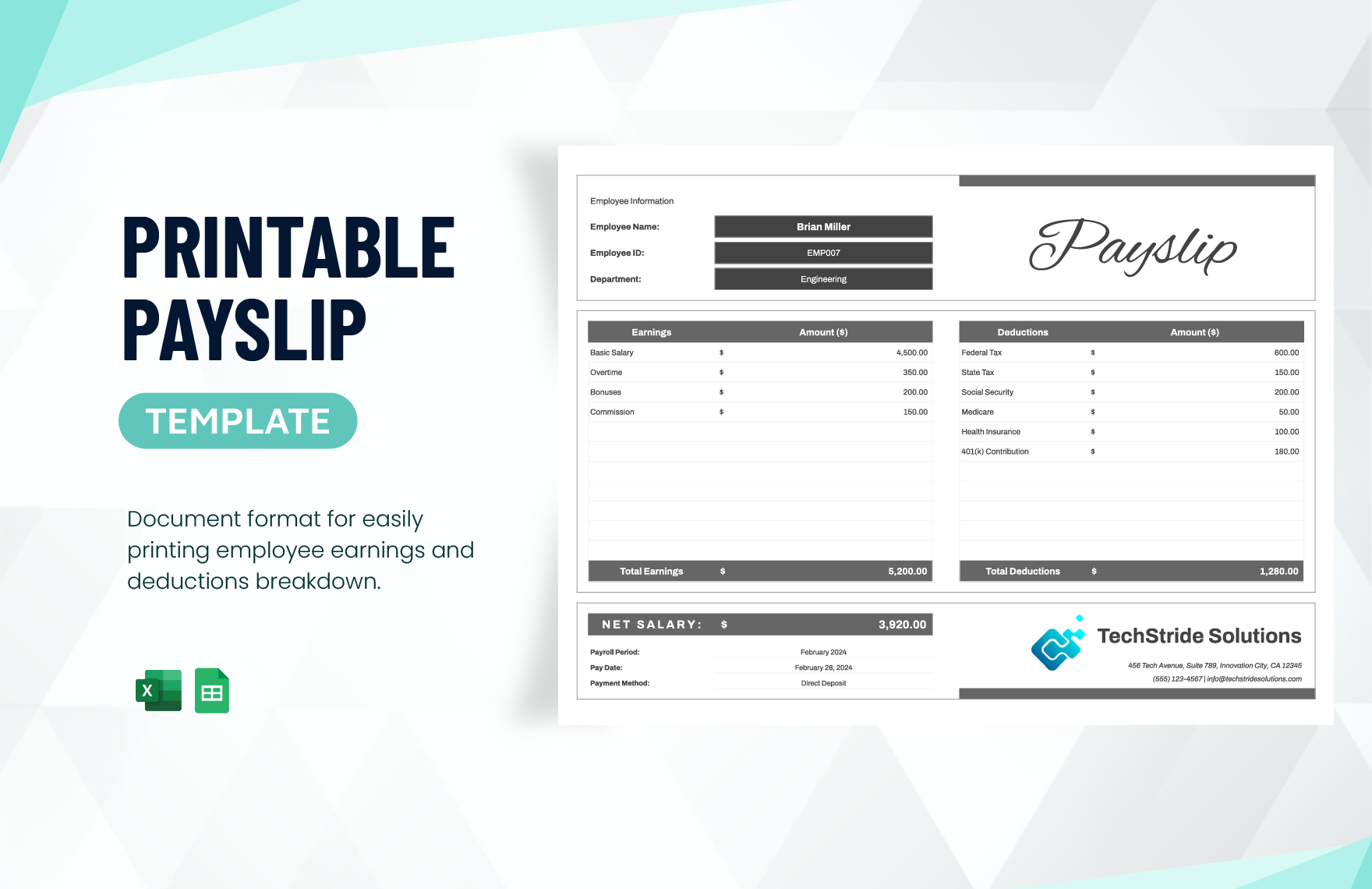
Downloadable Resources and Templates
If you prefer not to start from scratch, there are many downloadable templates available online. Look for customizable printable payment slip templates compatible with Google Sheets. These templates can save you time and provide a professional format to work with.
When selecting a template, ensure that it allows for customization to fit your specific needs. Some templates come with built-in formulas and formatting, which can be particularly beneficial if you’re new to Google Sheets.