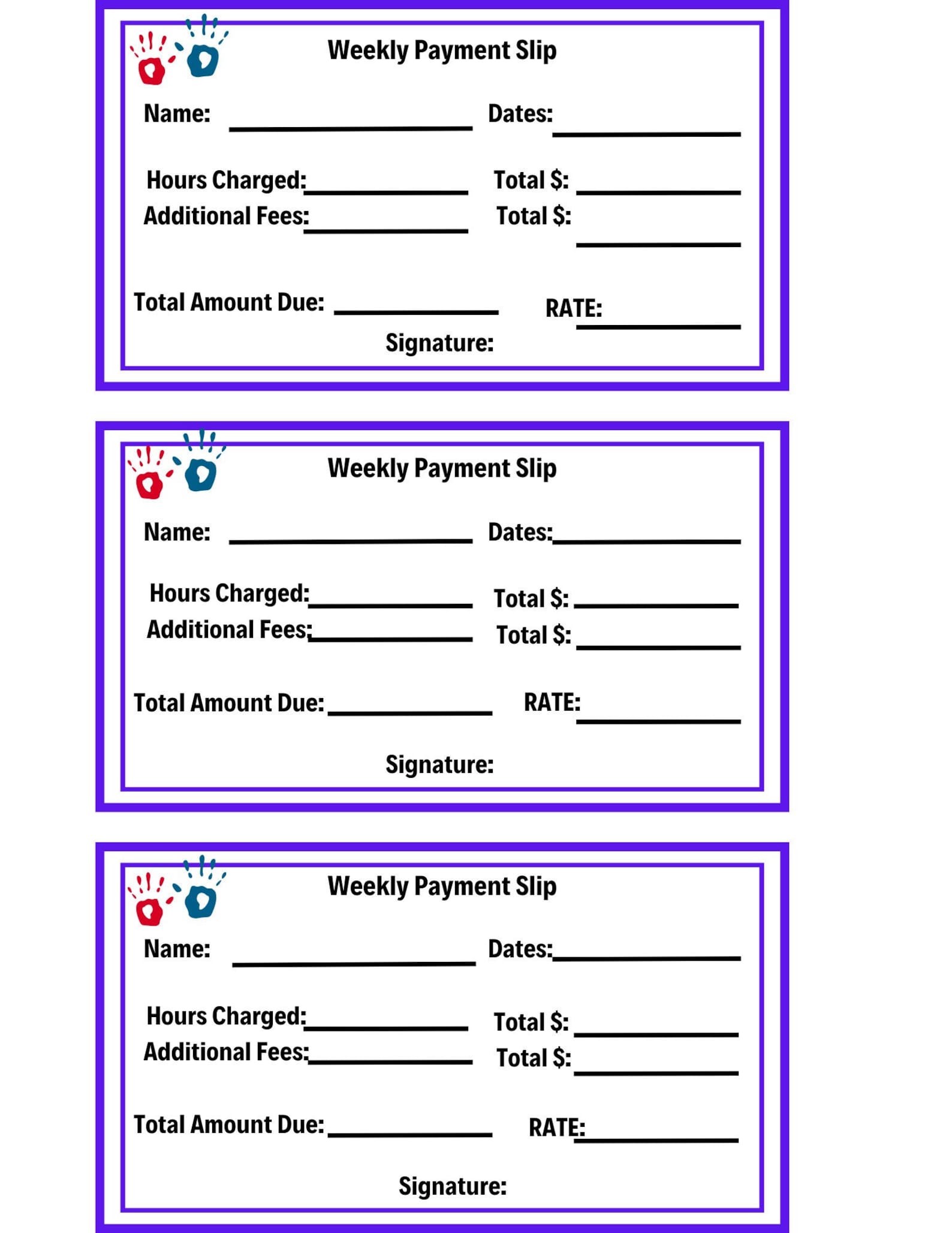
When managing transactions for a small business, having a reliable payment slip is essential. The Fillable Printable Payment Slip With Three Per Page is designed to streamline your payment processes. This printable resource allows you to efficiently handle multiple payment slips on a single page, making it both cost-effective and practical for everyday use.
Understanding the Format and Features
This payment slip is formatted to fit three slips per standard letter-sized page (8.5 x 11 inches). This layout not only saves paper but also enhances organization, especially when dealing with multiple transactions. Each slip is designed to be fillable, which means you can enter details directly into the document before printing. This feature is particularly useful for businesses that require consistent information entry, such as customer names, amounts, and service descriptions.
The fillable format is typically available in PDF, ensuring compatibility with most devices and easy access for immediate use. A PDF format also avoids common reformatting issues that might arise with other file types, ensuring that your slips print exactly as intended.
Downloading Your Payment Slips
To get started, locate the Fillable Printable Payment Slip With Three Per Page on your preferred printable-resource website. Once found, downloading the file is usually straightforward. Look for a clear download button, often labeled as “Download” or “Get Your Printable.”
After downloading, check to ensure your PDF viewer is up to date. This is important for maintaining the fillable functionality of the payment slip. If the viewer needs an update, doing so will prevent any potential issues when you attempt to fill in the payment details.
Printing Tips for Optimal Use
Once downloaded, it’s time to print. Here are some key tips for optimal printing:
- Paper Type: Use standard printer paper for everyday transactions. If you’re looking for something more durable, consider using cardstock. This material holds up well, especially if slips will be used frequently or stored for a longer period.
- Printer Settings: Set your printer to “Actual Size” or “100%” scaling to ensure that the slips print at the correct size. Portrait orientation is generally preferred for this type of document, but check your printer’s manual if you’re uncertain.
- Test Print: Before printing a large batch, do a test print of one page. This helps ensure that everything aligns correctly and that the fillable fields work as intended.
Setting Up and Using the Slips
After printing, you can start filling out the payment slips. Here’s a simple process to follow:
- Fill in the Details: Enter the customer’s name, payment amount, date, and any relevant notes directly onto the slip. This can be done digitally prior to printing or by hand after printing, depending on your preference.
- Distribute Accordingly: Once filled, provide a copy to the customer, keeping one for your records. This helps maintain a clear transaction history and aids in bookkeeping.
- Record Keeping: Store filled payment slips in a dedicated file or binder. This ensures easy access for future reference, especially during tax season or audits.
Benefits of Using Fillable Payment Slips
Using the Fillable Printable Payment Slip With Three Per Page simplifies the payment process in several ways:
- Efficiency: Having three slips per page allows for quick transactions without the need for excessive paperwork. This is particularly beneficial during busy periods.
- Professional Appearance: Using a well-designed payment slip enhances your business’s professionalism. It shows customers that you value organization and clarity in financial transactions.
- Cost-Effective: Printing three slips at once reduces paper waste, saving costs in the long run. You’ll find this especially beneficial if your business handles many transactions.
In summary, the Fillable Printable Payment Slip With Three Per Page is a practical tool for small business owners aiming to streamline their payment processes. By following the steps outlined in this guide, you can easily download, print, and implement this resource into your daily operations. Remember, using high-quality paper and maintaining a record of transactions will further enhance your business management.