When managing finances, having the right tools can make all the difference. A Business Printable Payment Slip To Download And Print is a straightforward yet essential document that helps streamline your transactions. This slip not only ensures clarity in your financial dealings but also provides a professional touch to your business transactions.
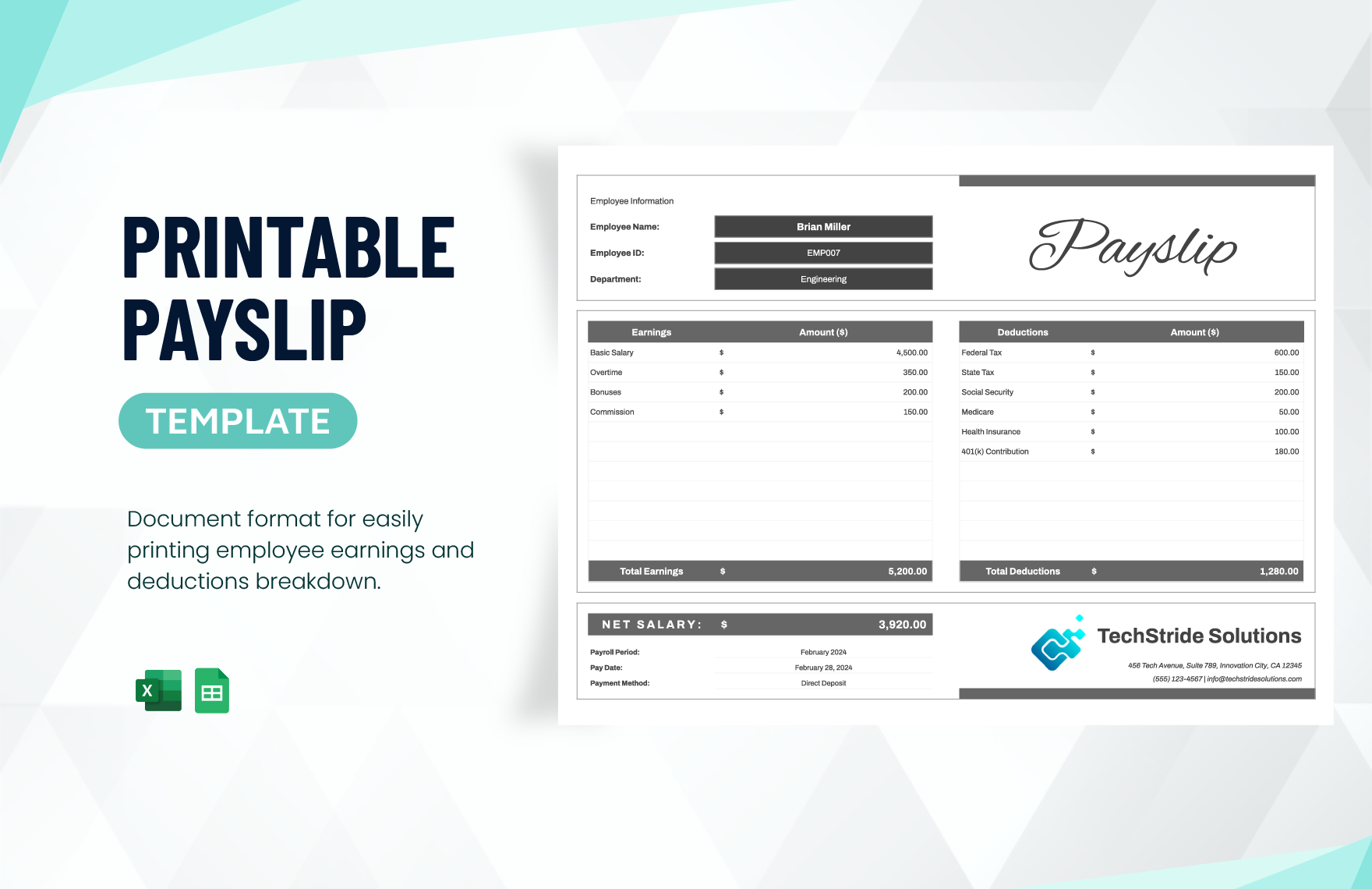
Understanding the Layout of the Payment Slip
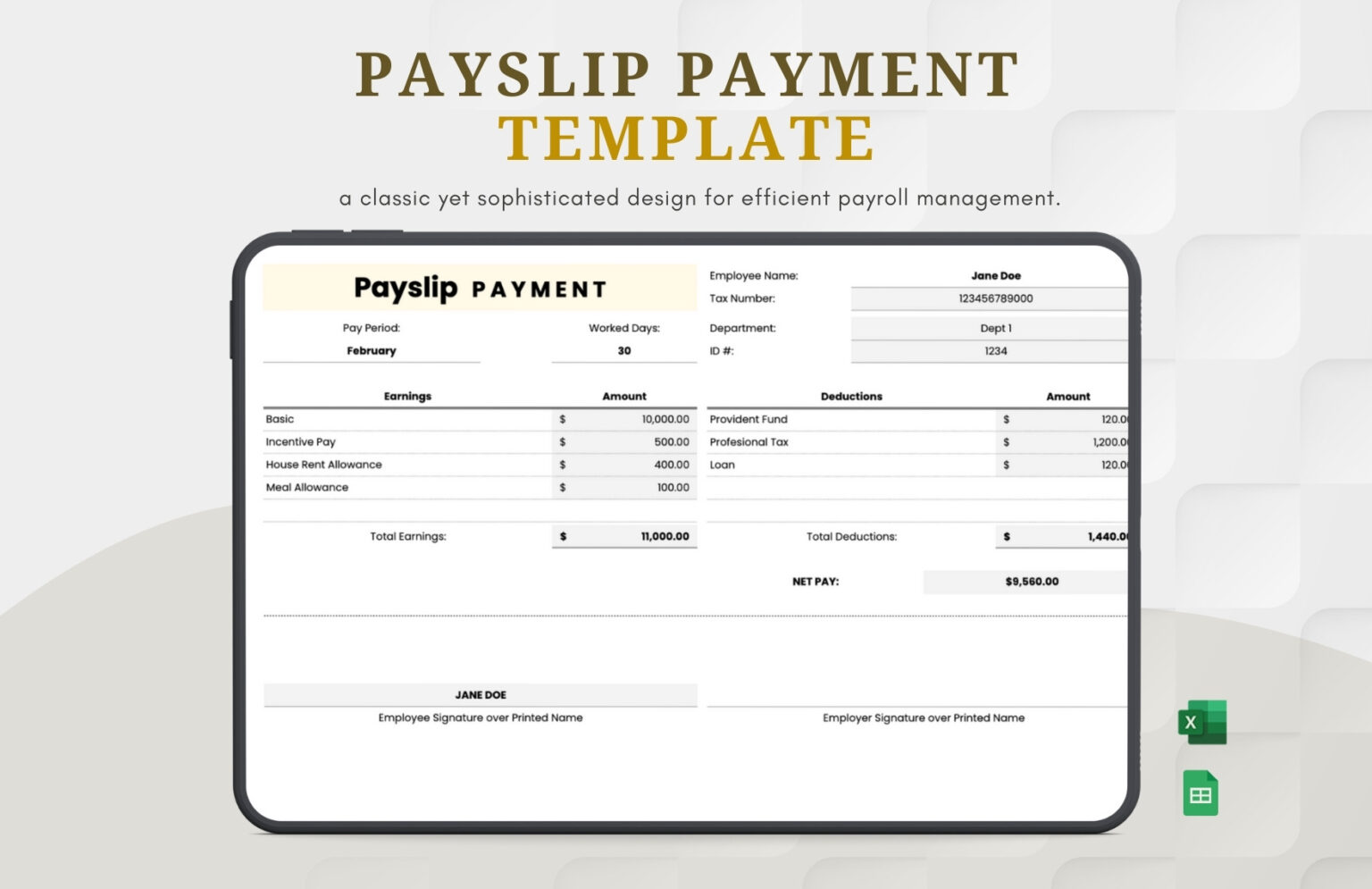
The layout of the payment slip is designed for ease of use. Typically formatted in an 8.5 x 11-inch size, it aligns perfectly with standard printer settings. You’ll find sections clearly marked, making it simple to fill out. The top part usually includes your business name and logo, which is crucial for branding. Beneath that, you may see fields for the date, payer details, and amount paid.
The organized layout allows you to quickly enter the necessary information without confusion. Each section is purposefully designed to guide you in documenting transactions accurately, which is vital for record-keeping.
Key Sections to Fill Out
When using a Business Printable Payment Slip, there are several key sections you’ll want to pay attention to:
- Business Information: Your business name, address, and contact information should be prominently displayed. This not only adds professionalism but also ensures that the payer knows who the payment is going to.
- Payer Details: Include the name and address of the person or company making the payment. This is crucial for tracking payments and for your records.
- Payment Information: This section should detail the amount being paid, the payment method (cash, check, credit card, etc.), and any relevant invoice numbers if applicable.
- Signature Line: Having a designated area for signatures adds an extra layer of authenticity to the document. It can also serve as a receipt for the payer.
Each of these sections plays a critical role in ensuring that your financial records remain organized and professional. Additionally, consider using different colors or fonts to highlight important areas, making them stand out for quick reference.
Printing and Usage Tips
When it comes to printing your payment slips, there are a few tips that can help ensure the best results:
- Paper Quality: Use good-quality paper, preferably a heavier weight like 24 lb, for a more professional feel. If you plan on laminating the slips for durability, cardstock works best.
- Printer Settings: Make sure your printer settings are adjusted for the paper size and quality you’re using. Most home printers handle standard sizes like 8.5 x 11 inches well. Avoid using “fit to page” settings, as this can distort your layout.
- Orientation: Generally, portrait orientation is more common for payment slips, but landscape can work if it fits your design better. Ensure that the layout aligns with your printing preferences before finalizing.
Once printed, these payment slips can be used immediately. If you are accepting payments in person or sending them out with invoices, having a well-prepared slip makes the process smoother.
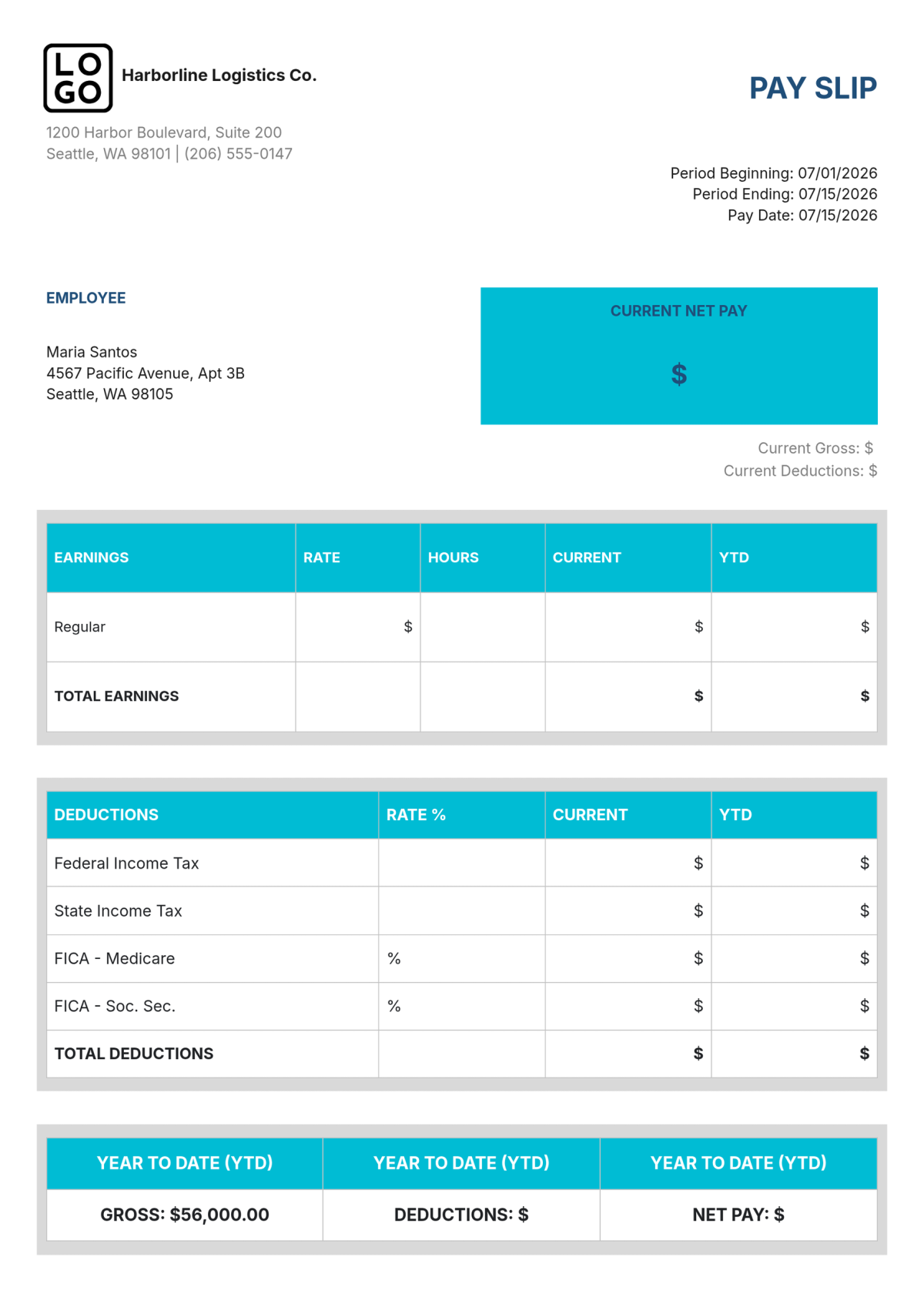
Benefits of Using a Payment Slip
Using a Business Printable Payment Slip has several advantages:
- Professional Appearance: It enhances your business’s credibility by providing a formal document for transactions.
- Record Keeping: These slips serve as a vital record of transactions. You can easily file them for future reference or audits.
- Clarity: The structured layout reduces the chances of misunderstandings regarding payment amounts or details.
- Customizability: Most templates allow for personalization. You can add your logo, change colors, and adjust sections to fit your specific needs.
By utilizing these slips, you create a more organized and professional approach to managing your business finances.
The most useful detail to remember is that while templates are readily available online, customizing them to fit your specific business needs can significantly enhance their functionality and effectiveness.