A Pay Slip Printable Form With Company Details is an essential tool for small business owners managing payroll. It not only provides transparency for employees but also ensures compliance with labor regulations. This article guides you through the features, preparation, and best practices for using this form effectively in your business.
Understanding the Pay Slip Printable Form
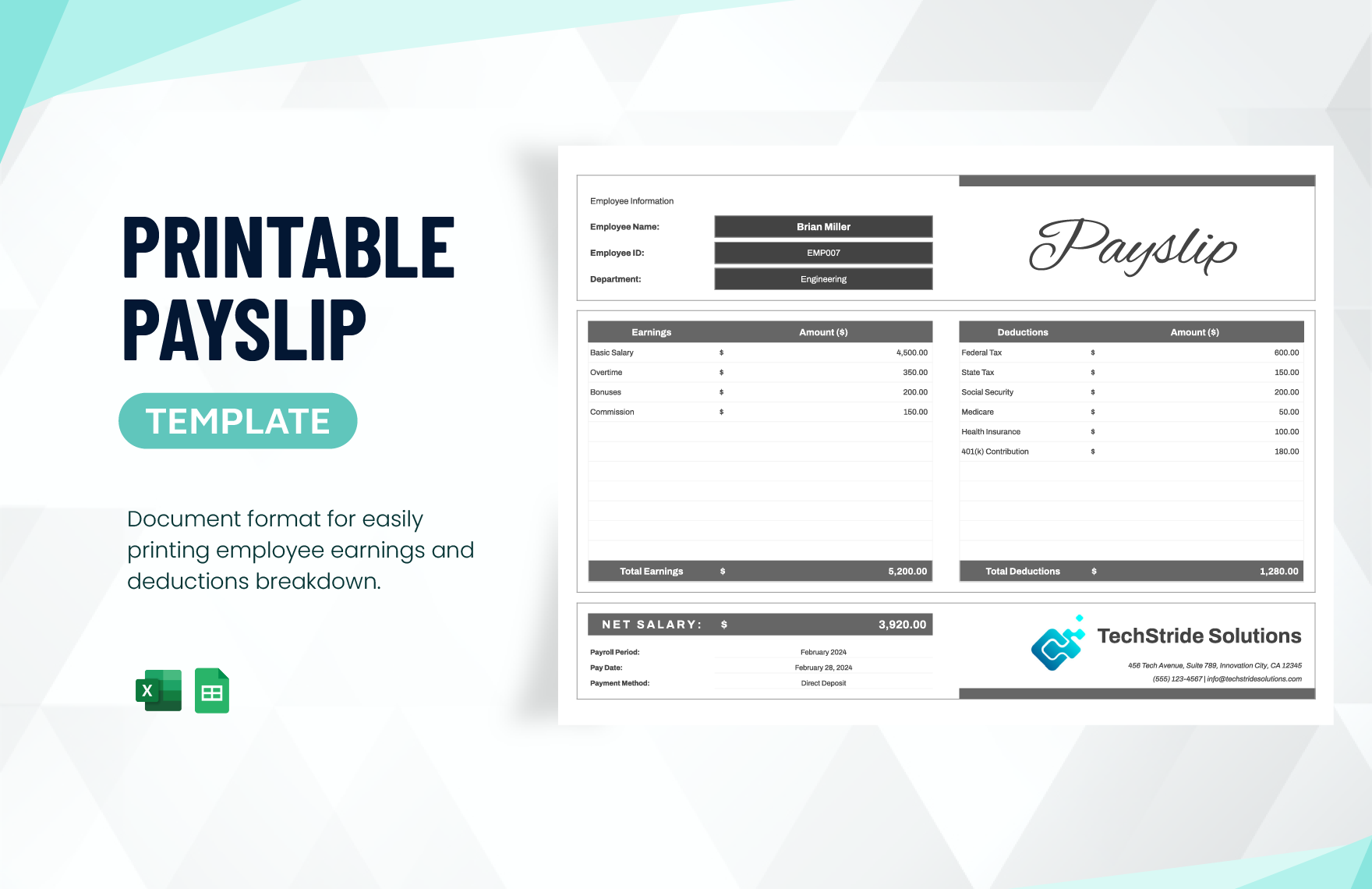
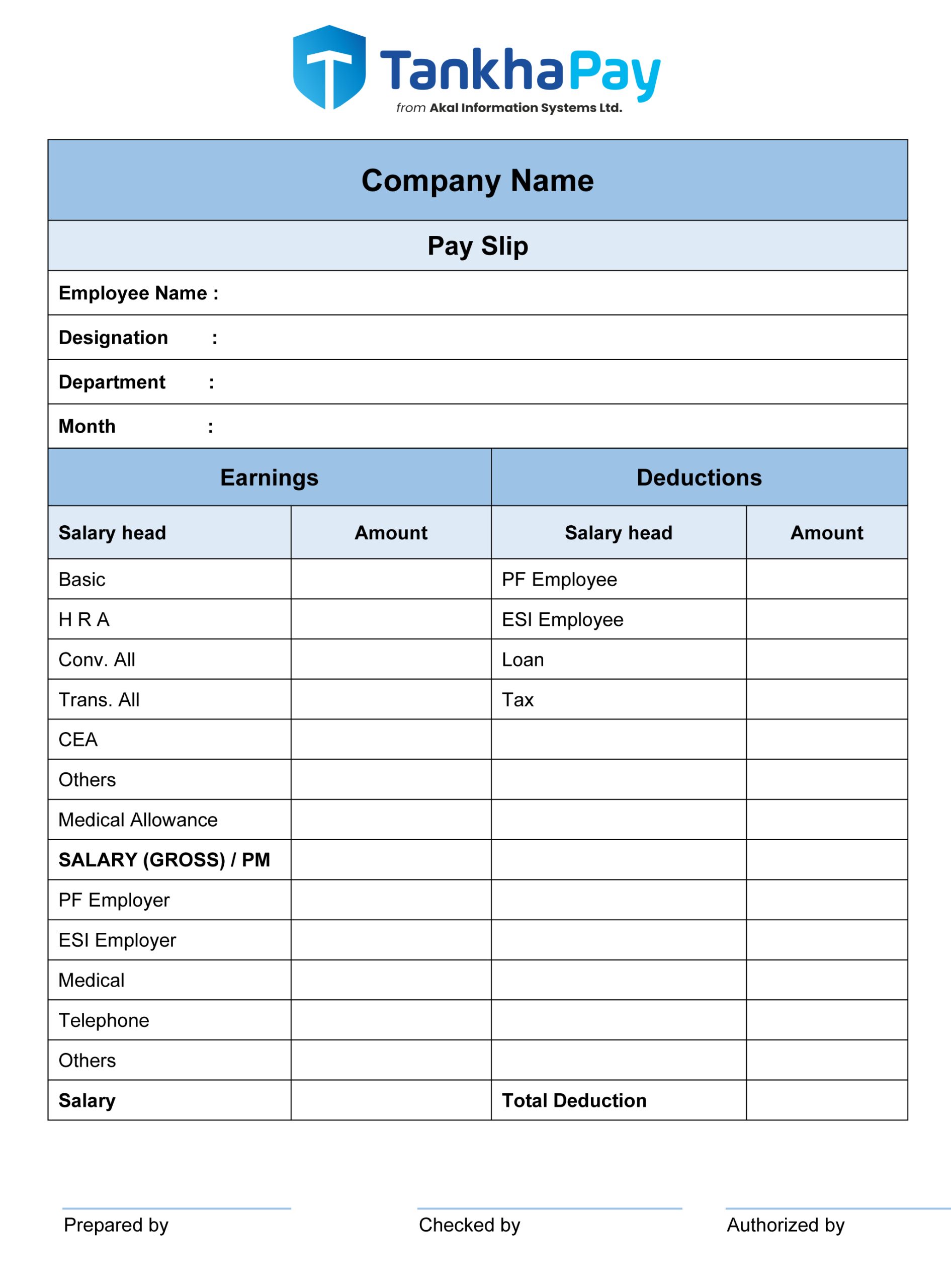
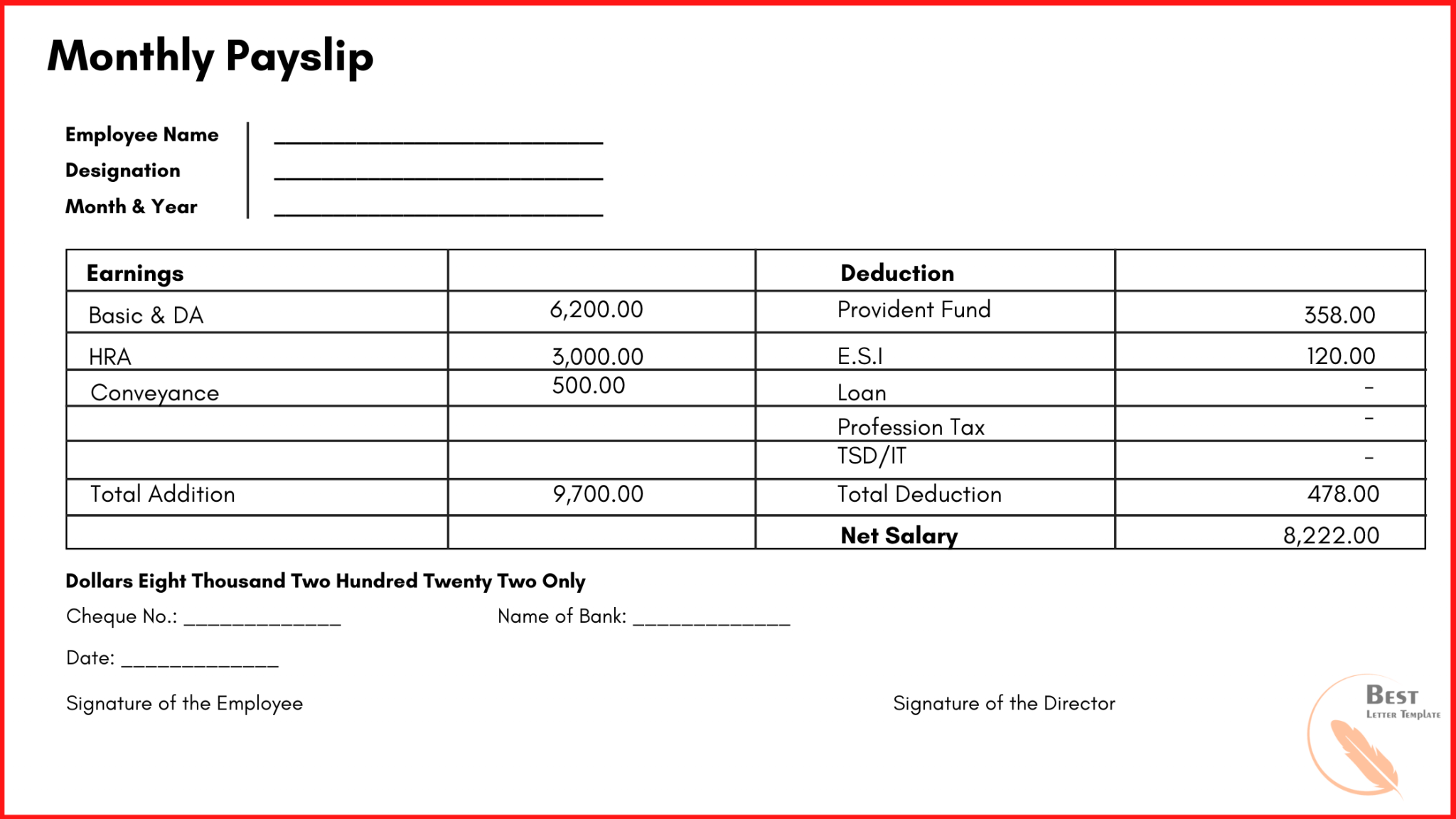
A pay slip, often referred to as a paycheck stub, is a document provided to employees that outlines their earnings, deductions, and net pay for a specific period. The Pay Slip Printable Form With Company Details typically includes vital information such as the employee’s name, pay period dates, gross earnings, tax withholdings, and any deductions for benefits or retirement plans.
When choosing a printable pay slip template, ensure it accommodates your company’s branding by allowing you to include your logo and company details. This not only fosters professionalism but also reinforces your business identity.
Key Features of a Pay Slip
Selecting the right pay slip printable form involves understanding its essential components. Here are the key features to look for:
- Company Information: The form should have space for your company name, address, and contact information.
- Employee Details: Include fields for the employee’s name, ID, and position.
- Pay Period: Clearly state the period for which the payment is made, such as weekly or bi-weekly.
- Earnings Breakdown: Itemize gross pay, overtime, bonuses, and other earnings.
- Deductions: List all deductions including taxes, health insurance, retirement contributions, and any other relevant withholdings.
- Net Pay: The final amount the employee will receive after all deductions.
Preparing the Pay Slip for Use
Preparation is key when creating a pay slip that meets both your needs and those of your employees. To get started:
- Choose a Template: Look for a template that meets your business needs. Many websites offer free or paid templates that can be easily downloaded and customized. Make sure it’s compatible with your preferred software, such as Microsoft Word or Excel.
- Customize the Template: Input your company details and logo. Adjust the formatting to ensure clarity and readability. A well-organized layout helps employees understand their pay at a glance.
- Complete the Fields: Before issuing pay slips, calculate the appropriate figures for earnings and deductions. Double-check for accuracy to avoid confusion or disputes.
- Select the Right Paper: For a professional look, consider printing on high-quality paper. Standard letter-size (8.5 x 11 inches) paper works well for most businesses, but some may prefer heavier cardstock for durability.
- Print Settings: Use a color printer if your template includes colored elements. Ensure your printer settings are configured for high-quality output. A portrait layout is often best for pay slips.
Best Practices for Distribution
Once the pay slip is prepared, it’s essential to distribute it properly. Here are some best practices:
- Timely Delivery: Ensure pay slips are provided to employees on or before payday. This builds trust and helps them plan their finances.
- Digital vs. Physical: Decide whether to provide printed copies or digital versions. Digital copies can be sent via email as PDFs, which are easy to store and retrieve. If mailing physical copies, consider using sealed envelopes for privacy.
- Secure Storage: Encourage employees to keep their pay slips in a safe place for future reference. This is especially important for tax purposes.
- Maintain Records: As an employer, keep copies of all issued pay slips for your records. This can be useful for audits or resolving any discrepancies.