The Payslip Printable Form For Home Organization is an essential tool for small business owners looking to manage payroll efficiently. This resource provides a clear, organized way to document employee earnings, deductions, and net pay, ensuring both accuracy and transparency in financial record-keeping. Understanding how to utilize this form effectively can significantly enhance your home organization and streamline your payroll process.
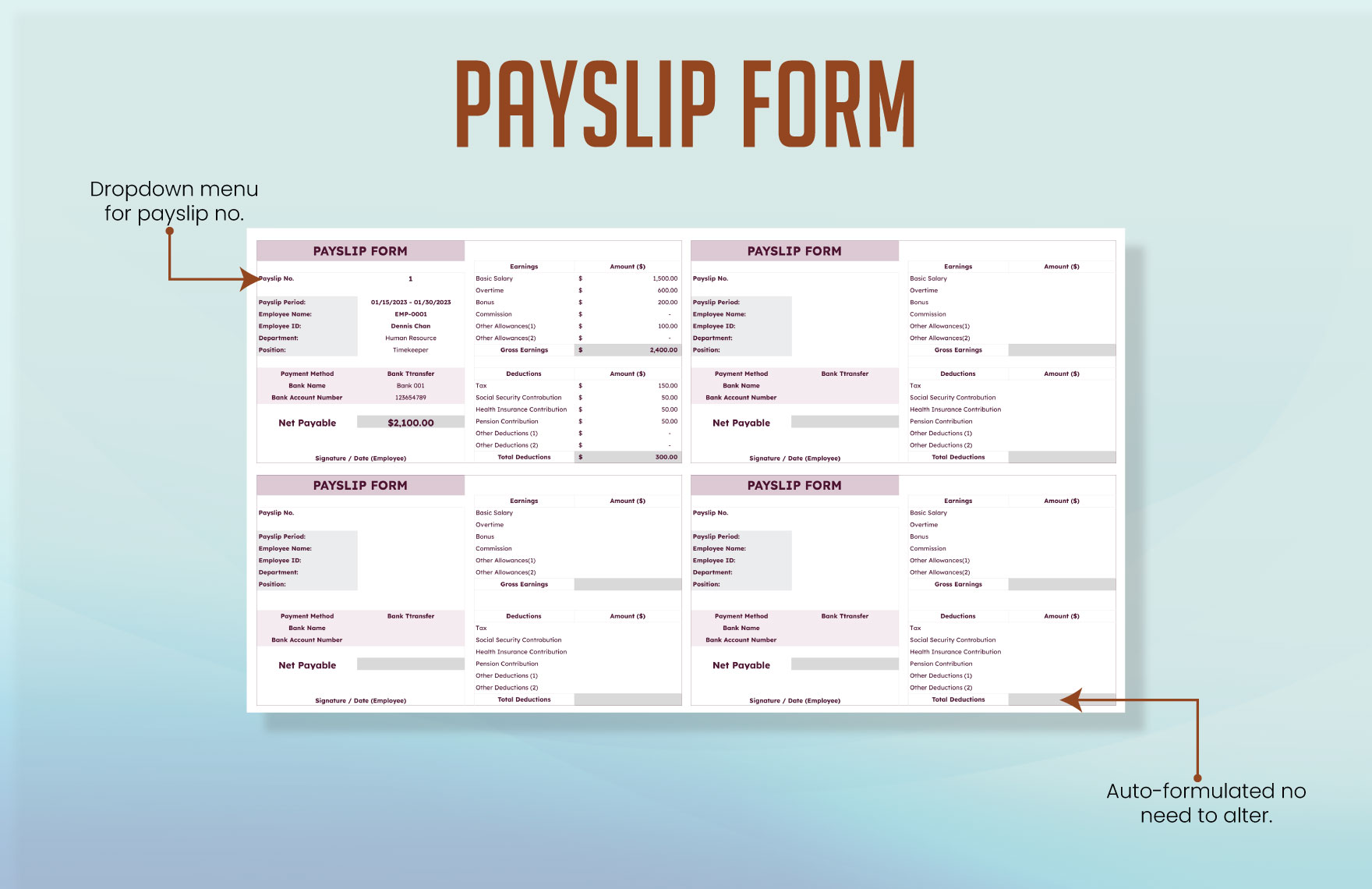
Understanding the Payslip Printable Form
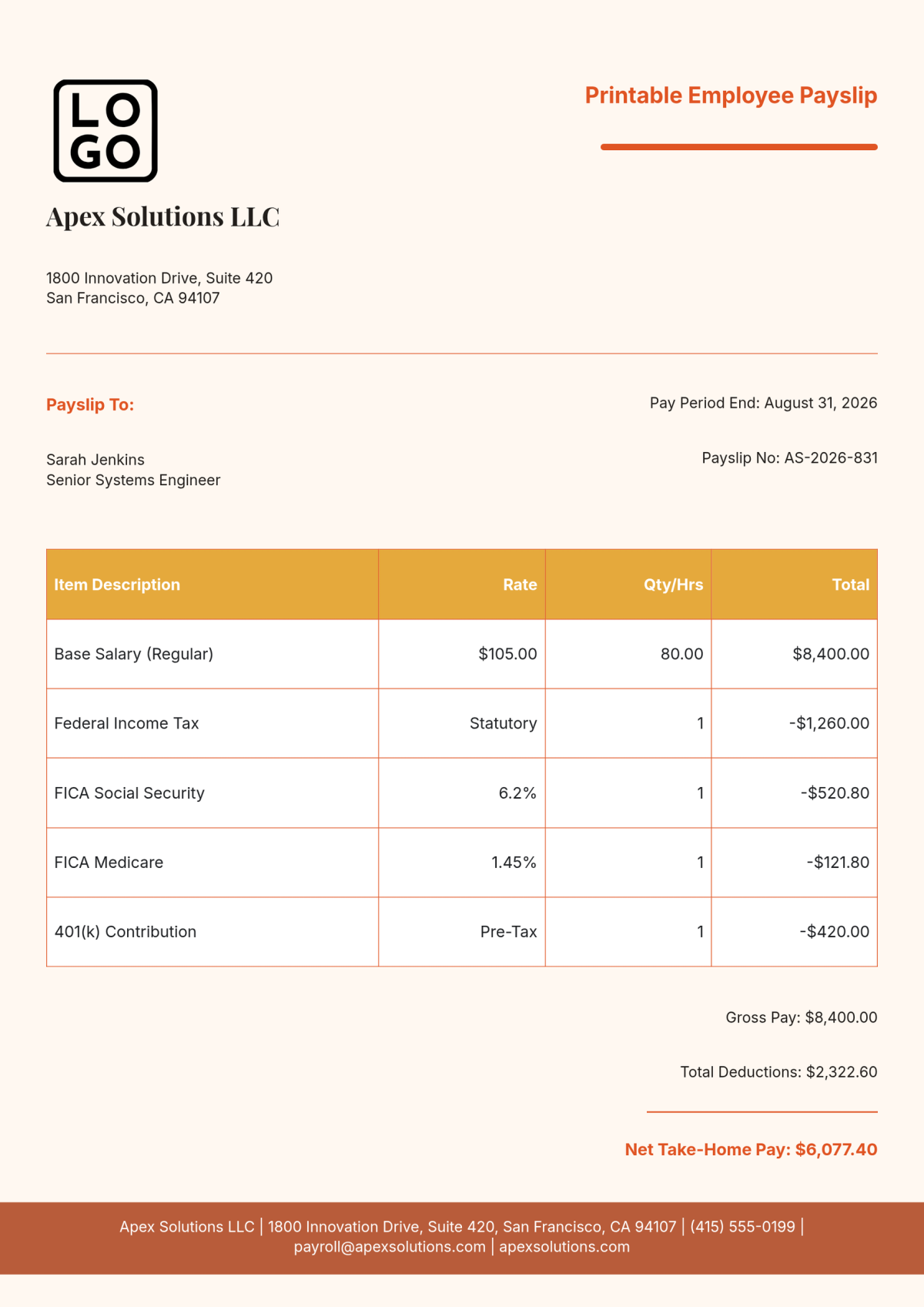
A payslip, often referred to as a pay stub, is a document issued by an employer to an employee that outlines the details of their earnings for a specific pay period. The payslip printable form typically includes key information such as the employee’s name, pay period dates, gross pay, deductions, and net pay.
Using a printable form allows for easy customization, enabling you to modify fields to suit your specific business needs. This adaptability makes it an ideal choice for small business owners who may not have the resources to invest in expensive payroll software.
Preparing Your Payslip Printable Form
Before you can use the Payslip Printable Form For Home Organization, it’s essential to prepare it correctly. Here’s a straightforward step-by-step process:
- Download the Form: Start by downloading the payslip template from a reliable source. Ensure that the file format is compatible with your printing needs, typically a PDF for best results.
- Choose the Right Paper: For most printing needs, standard 8.5” x 11” paper works well. If you’re looking for durability, consider using heavier cardstock that can withstand handling, especially if you’ll be distributing these payslips regularly.
- Print Settings: Set your printer to the best quality settings to ensure all text is clear and legible. If your printer supports double-sided printing, consider using this option to save paper.
- Customize the Template: Fill in necessary fields like your business name, employee details, and pay period. If you use accounting software, you might be able to export this data directly into your payslip template.
Filling Out the Payslip Printable Form
Completing the Payslip Printable Form accurately is crucial for clarity and compliance. Here’s how to fill it out correctly:
- Employee Information: Include the employee’s full name, ID number, and address. This ensures that the payslip is tailored to the specific employee.
- Pay Period: Clearly state the dates for which the employee is being paid. This could be weekly, bi-weekly, or monthly, depending on your payroll schedule.
- Earnings: List the gross pay, which is the total earnings before any deductions. If applicable, separate different types of earnings (like overtime or bonuses) to provide clarity.
- Deductions: Include all deductions such as taxes, health insurance, retirement contributions, and any other withholdings. Ensure that each deduction is itemized to avoid confusion.
- Net Pay: This is the amount the employee takes home after all deductions. Highlighting this figure can help employees understand their earnings better.
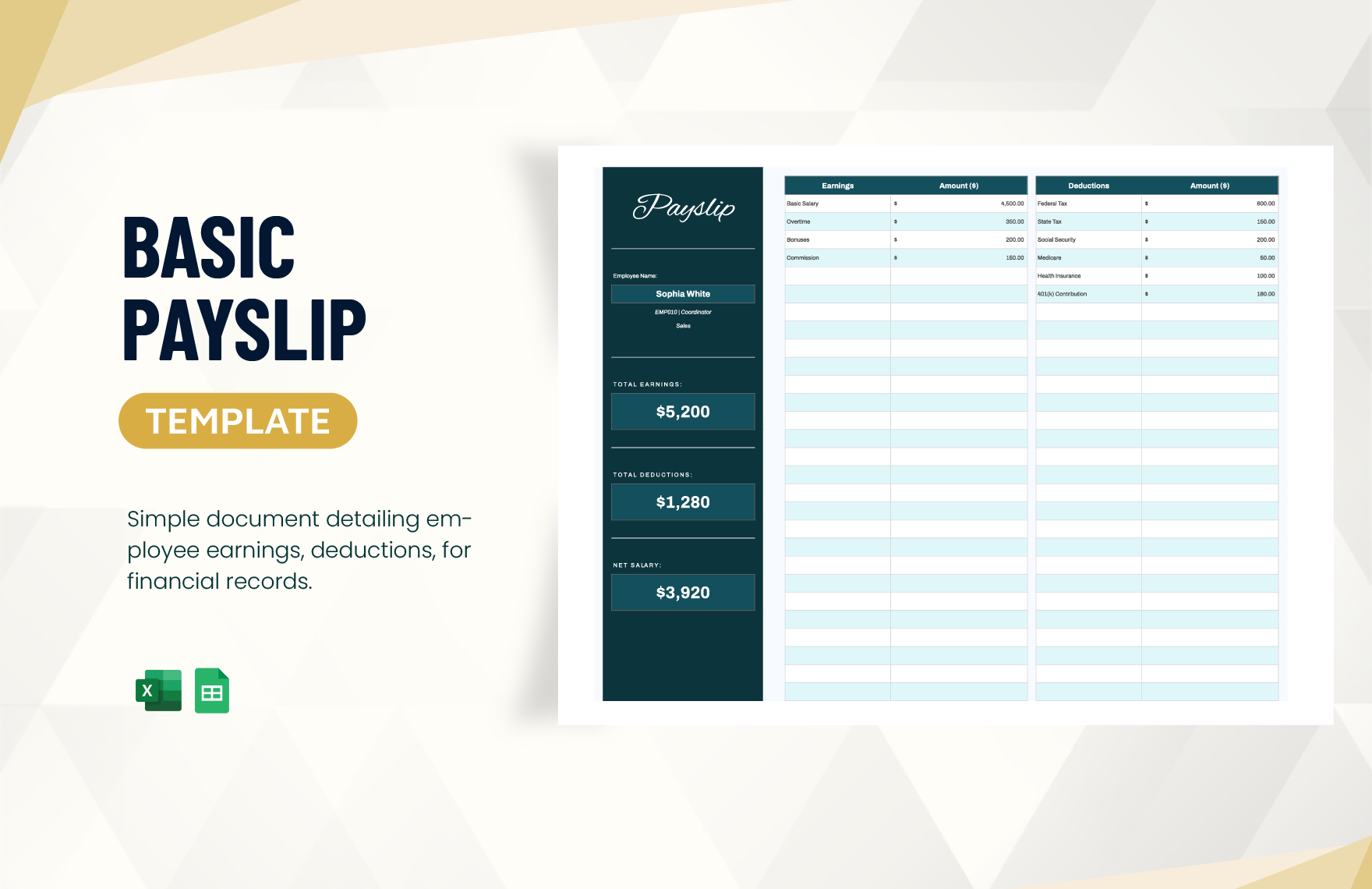
Using the Payslip for Home Organization
Once your Payslip Printable Form is filled out, it serves multiple purposes beyond just payroll. Here’s how it can assist in home organization:
- Record Keeping: Maintain a physical or digital file of all payslips. This is essential for tracking employee payments over time and can be invaluable during tax season or audits.
- Financial Planning: Reviewing payslips can help business owners track expenses related to payroll, allowing for better budgeting and financial planning.
- Employee Transparency: Providing employees with clear, detailed payslips fosters trust and transparency within the workplace. It allows employees to see how their pay is calculated and understand deductions.