Creating a streamlined accounting process can significantly improve your business’s financial health. A downloadable printable payment slip for accounting is a useful tool that allows you to manage payments efficiently. This resource is designed to help small business owners maintain accurate records of transactions, ensuring that every payment is documented clearly and effectively.
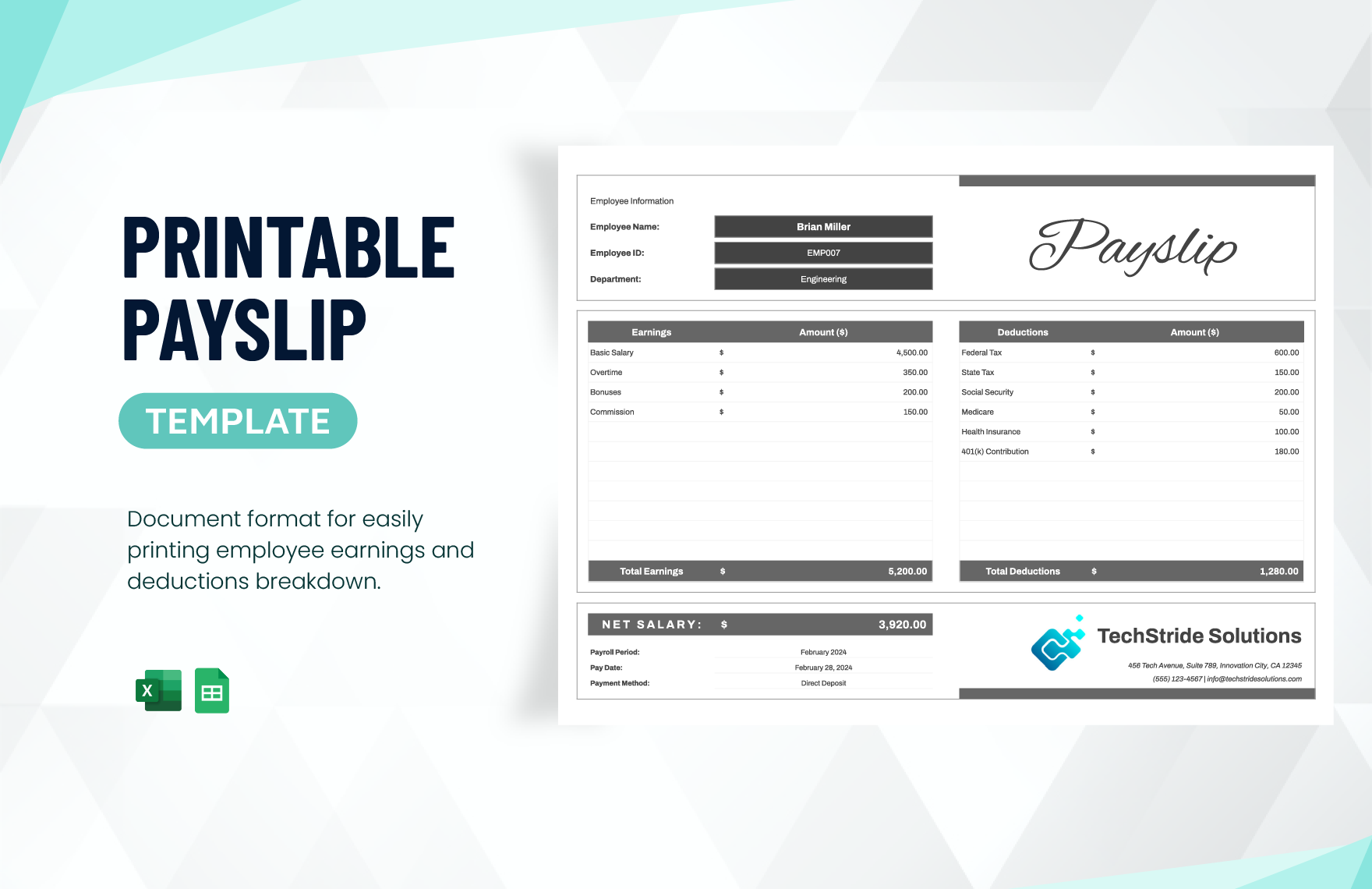
Understanding the Payment Slip Format
A payment slip typically includes essential information such as the payer’s name, payment amount, date, and purpose of the payment. Most payment slips are formatted to fit standard paper sizes, such as 8.5 x 11 inches (Letter size) or A4. Using these formats ensures compatibility with home and office printers, allowing for easy printing without any adjustments.
Key Components of a Payment Slip
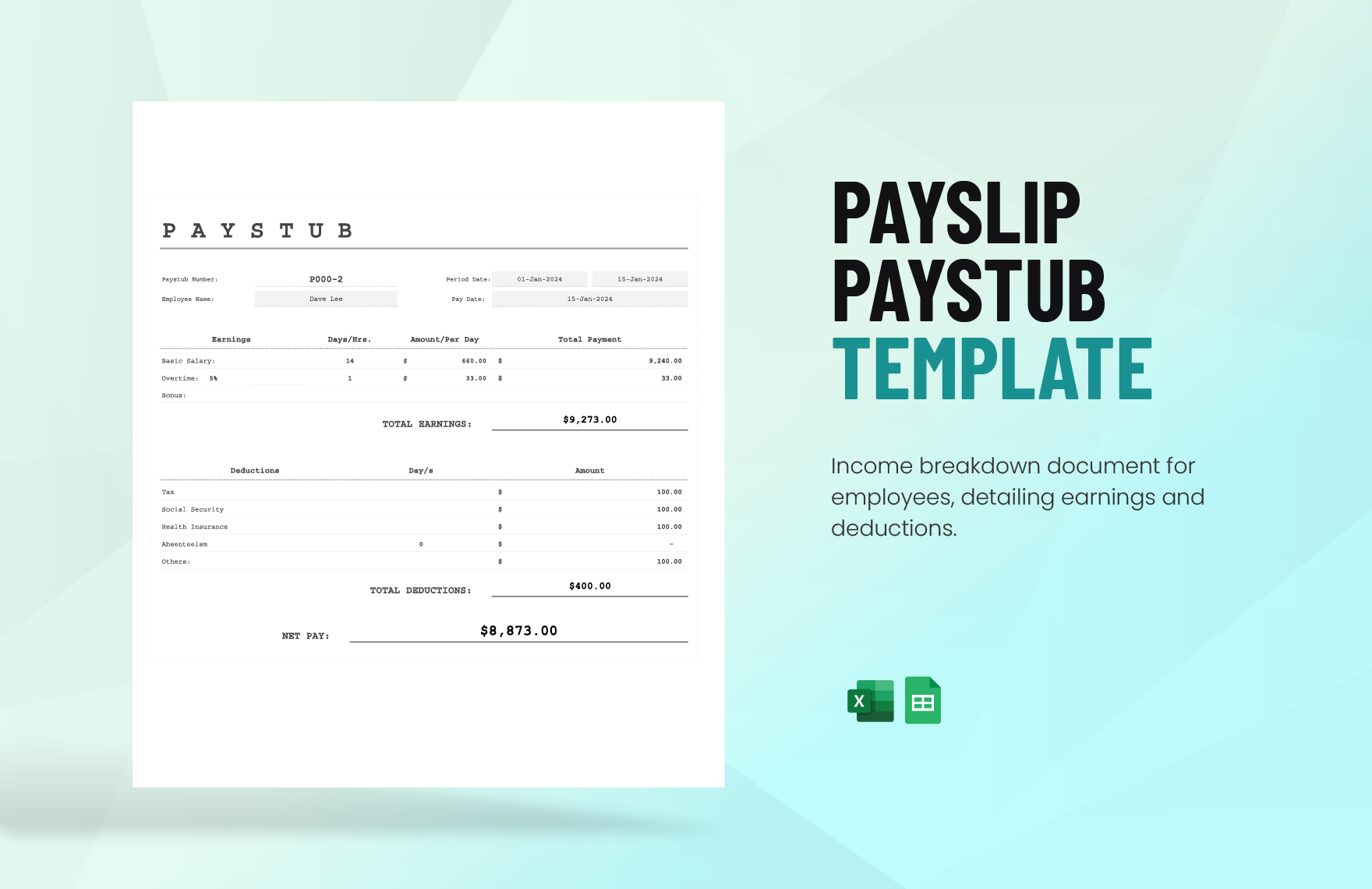
When utilizing a downloadable printable payment slip for accounting, it’s crucial to ensure that the slip contains the following components:
- Payer Information: Name and contact details of the individual or business making the payment.
- Payment Details: Clear breakdown of the amount being paid, including any applicable taxes or discounts.
- Date of Payment: This helps in maintaining an accurate record for bookkeeping.
- Reference Number: A unique identifier for the transaction can help in tracking payments efficiently.
How to Download and Print Your Payment Slip
Getting your payment slip ready for use involves a straightforward process. Follow these steps to ensure you have your payment slip set up correctly:
- Choose the Right Template: Visit a reliable printable resource website to locate a downloadable printable payment slip for accounting. Look for one that fits your specific needs, such as layout and design preferences.
- Download the Template: Once you’ve selected a template, click the download button. Most templates are available in PDF format, which helps preserve the layout and ensures it prints correctly.
- Open the File: Use a PDF reader to access the downloaded file. This format is preferred as it avoids reformatting issues that can occur with image files.
- Check Printer Settings: Before printing, ensure your printer settings are configured for the selected paper size. Portrait layout often works best for payment slips.
- Print the Slip: Load your printer with the appropriate paper and print the slip. Cardstock is a good choice if you want the slip to be more durable.
Filling Out the Payment Slip
Once printed, the next step is to fill out the payment slip accurately. Here are some practical tips:
- Use a Pen or Digital Tool: If you’re filling the slip by hand, use a pen that won’t smudge. Alternatively, if you have a digital version, consider using a PDF editor to input information directly.
- Double-Check Information: Ensure every detail is accurate before issuing the slip. Incorrect details can lead to confusion and financial discrepancies.
- Keep Copies: Always keep a copy of the completed payment slip for your records. This practice aids in maintaining a clear audit trail.
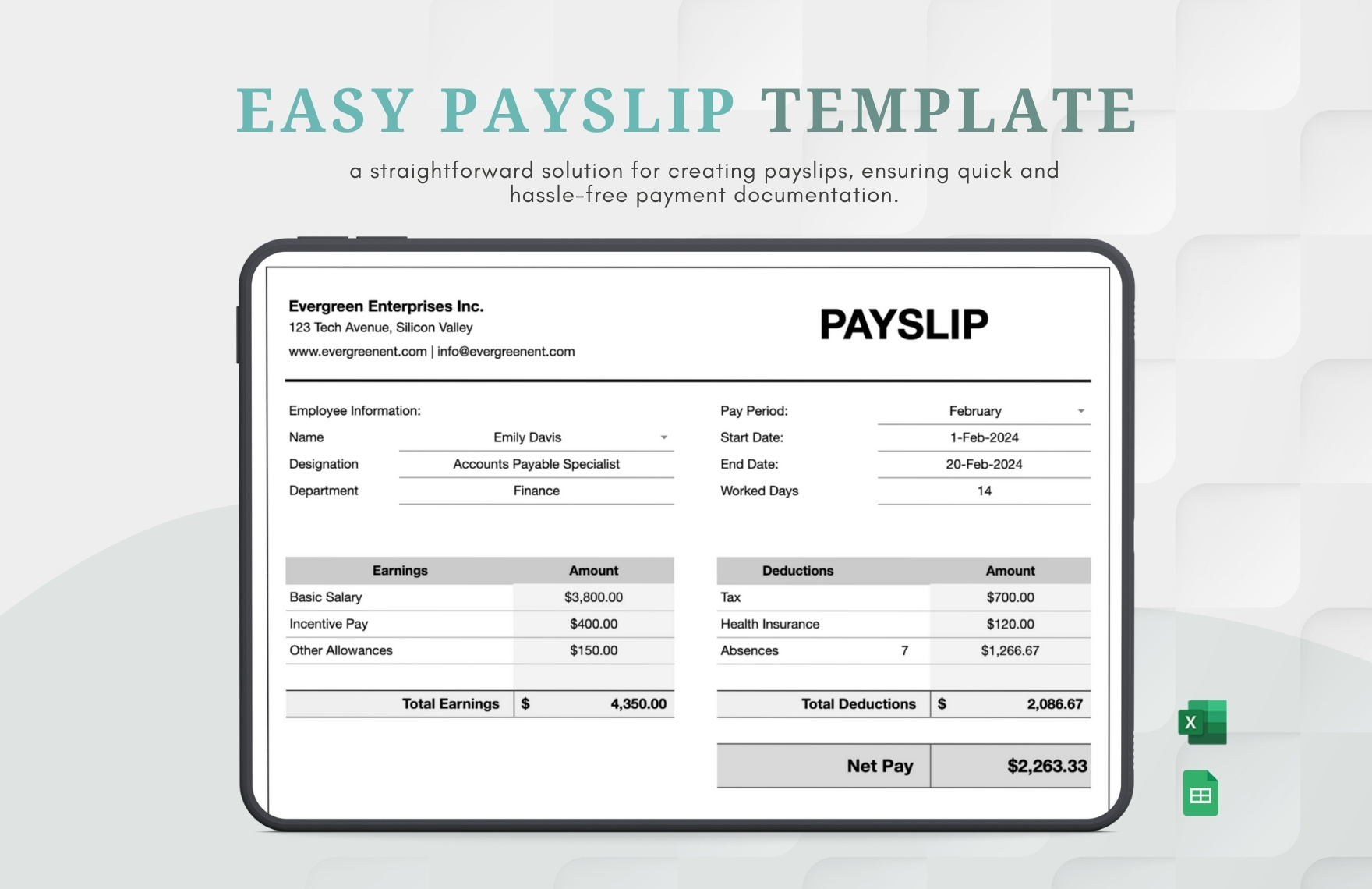
Utilizing the Payment Slip for Better Accounting Practices
Incorporating a downloadable printable payment slip for accounting into your financial workflow can streamline your processes. Here’s how:
- Organized Record Keeping: Each payment slip serves as a formal record of transactions. This organization can simplify tax filing and financial audits.
- Transparency: Issuing payment slips creates transparency in your financial dealings, which can foster trust with clients and vendors.
- Easy Tracking: With reference numbers and dates, tracking payments becomes more manageable, reducing the risk of missed or duplicate payments.
The most practical aspect of using a payment slip is that it can be customized to fit your business’s specific needs. Whether you require a simple design or something more elaborate, having a template allows for flexibility.
Investing time in setting up and using a downloadable printable payment slip for accounting will ultimately lead to better financial management. Keeping your records organized and transparent can enhance your overall business operations.