Managing payments in a business setting can be complex, but using a Business Printable Payment Slip Layout simplifies the process significantly. This layout serves as a standard document that helps you keep track of transactions, ensuring that both you and your clients are on the same page regarding payments. In this guide, I’ll walk you through the different aspects of using this resource effectively.
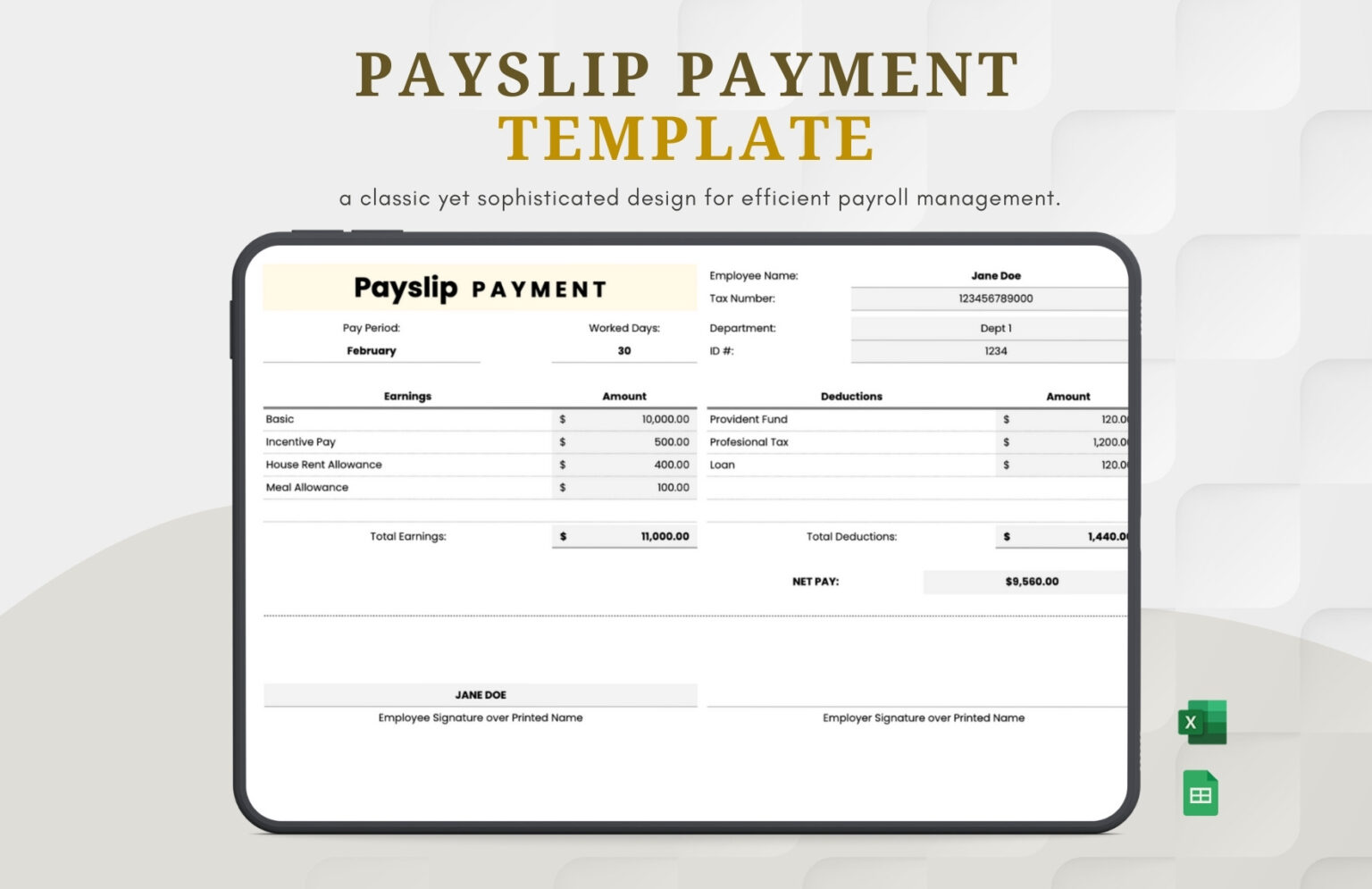
Understanding the Business Printable Payment Slip Layout
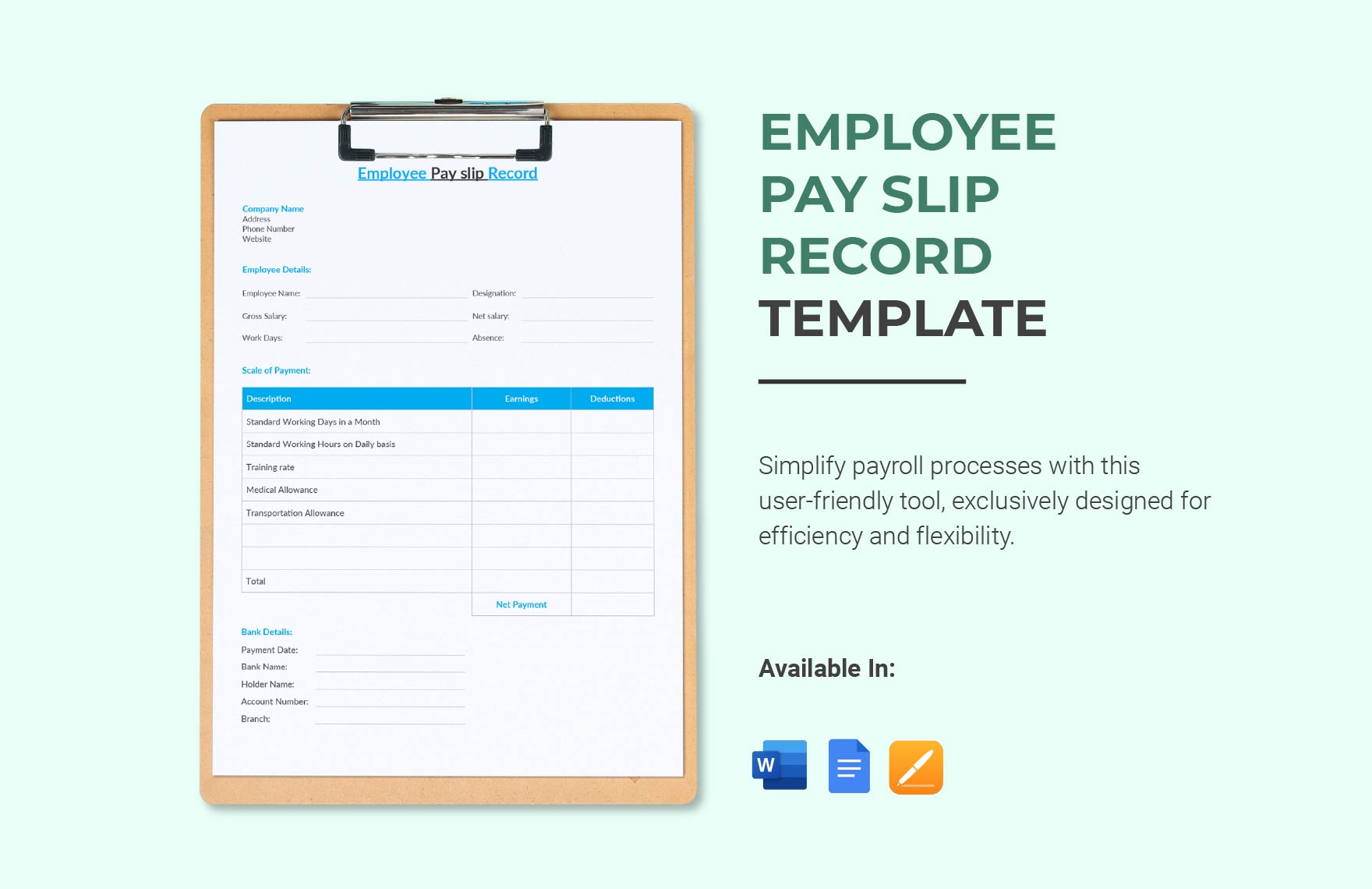
A payment slip layout is a structured document that includes essential details needed for processing payments. Typically, it features spaces for the payer’s name, date, amount, payment method, and any relevant notes. This layout is particularly useful for small businesses or freelancers who need to keep their financial documentation organized and professional.
When you download a printable payment slip layout, you can customize it to fit your specific needs. Whether you are collecting payments for services rendered or products sold, having a standardized slip helps create a consistent experience for your clients.
Key Components of a Payment Slip
To make the most of your Business Printable Payment Slip Layout, it’s crucial to understand what components to include. Here are some key elements that should be part of your payment slip:
- Payer Information: Include the name and contact details of the individual or organization making the payment.
- Payment Details: Clearly state the amount being paid, the payment method (cash, check, credit card), and any invoice number or reference number.
- Date of Transaction: Always include the date when the payment is made to maintain accurate records.
- Signature Line: A space for the payer’s signature can add an extra layer of authenticity to the transaction.
- Notes Section: This allows for any additional information or specific instructions related to the payment.
Including these components will not only make your payment slips more functional but also professional, enhancing your business’s image.
Tips for Downloading and Printing Your Payment Slip
When you’re ready to download your Business Printable Payment Slip Layout, keep the following tips in mind to ensure the best results:
- Select the Right Format: Most printable payment slips are available in PDF format, which preserves the layout and prevents any formatting issues when printing. Choose this format for a hassle-free experience.
- Paper Size Matters: Standard letter size (8.5 x 11 inches) is the most common choice for printing. If you prefer a more compact slip, check if the layout is available in A5 or other sizes.
- Printer Settings: Use a high-quality printer with settings optimized for the paper type. If you’re using heavier paper or cardstock, adjust the printer settings accordingly to avoid jams or poor print quality.
- Test Print First: Before printing multiple copies, do a test print to ensure everything aligns correctly. This can save you paper and ink in the long run.
- Consider Laminating: If you plan to reuse the slips or want them to last longer, consider laminating them after printing. This makes them more durable and resistant to wear.
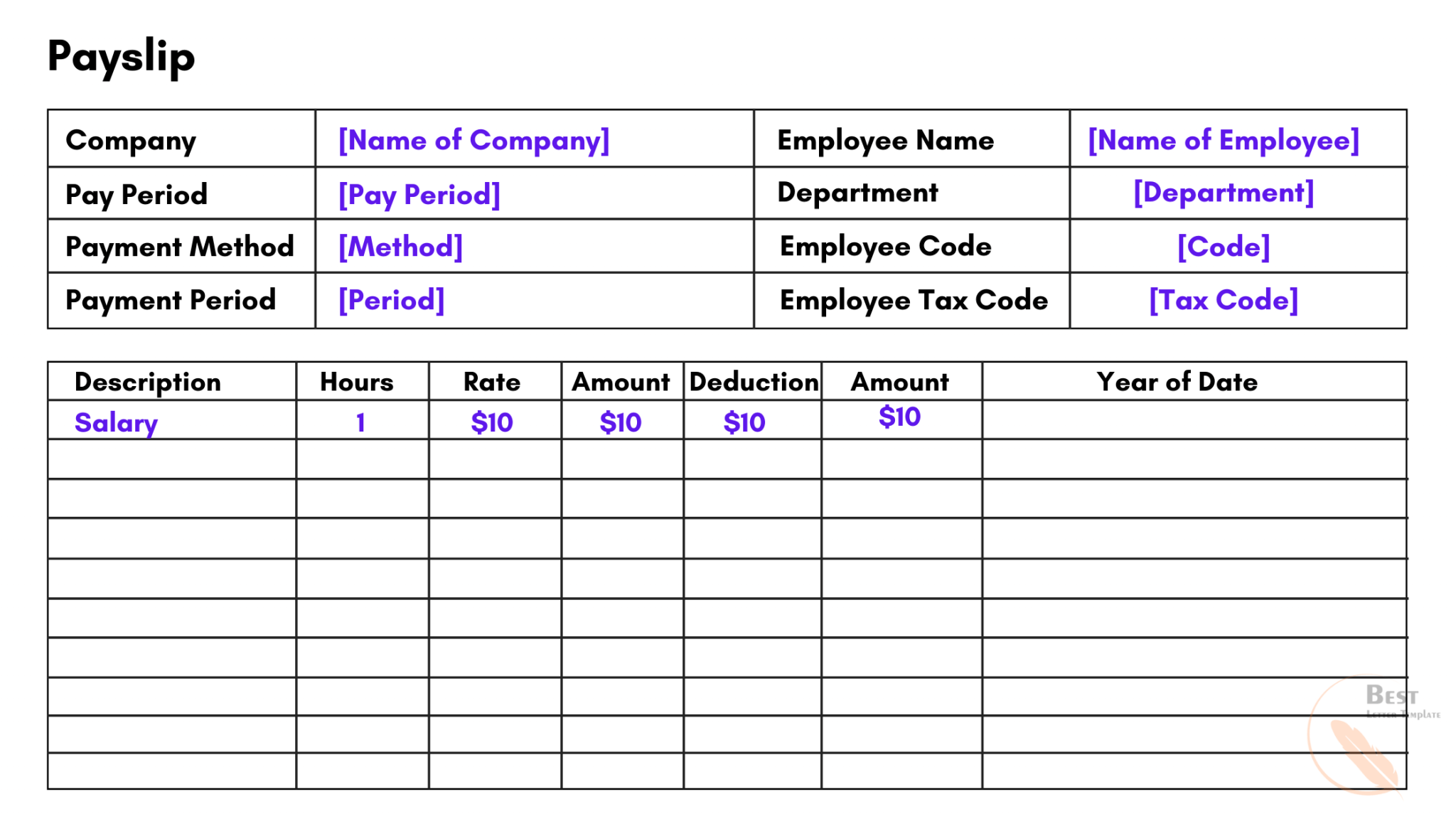
How to Use Your Payment Slip Effectively
Once you have your Business Printable Payment Slip Layout ready, it’s time to put it to use. Here are some practical steps to ensure you’re using it effectively:
- Personalize It: Add your business logo and contact information at the top of the slip. This not only brands the document but also makes it look official.
- Organize by Date: Keep your payment slips organized by date or client to facilitate easier record-keeping. Use a binder or digital folder to store them securely.
- Record Payments Promptly: As soon as you receive a payment, fill out the slip and provide a copy to the payer. This helps both parties keep track of the transaction.
- Follow-Up: If a payment is overdue, refer back to the payment slip to remind the client of the agreed-upon terms. Having a physical record can aid in discussions about late payments.
By following these practical steps, you’ll not only streamline your payment process but also enhance your professionalism in business transactions.
To get started immediately, download a template that suits your needs, customize it, and keep your finances organized.