When managing payroll for a small business, having the right tools can make all the difference. An Editable Printable Pay Slip Form stands out as a crucial resource for employers looking to provide clear, accurate payment records to their employees. Unlike generic pay stubs, this editable form allows for customization, ensuring that all necessary details are included. guide you through its layout, how to fill it out, and the best practices for printing.
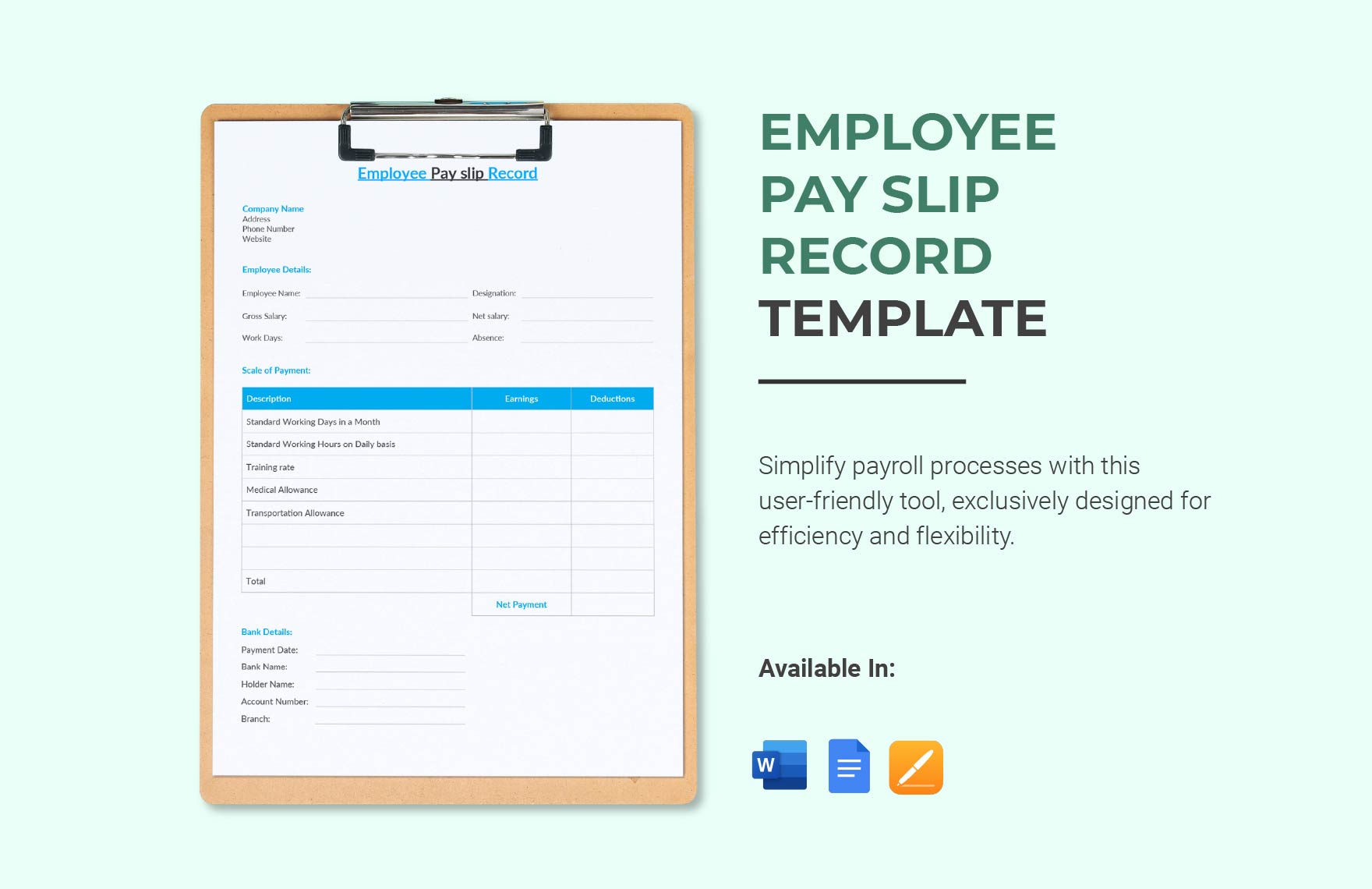
Understanding the Layout of the Pay Slip Form
The design of an Editable Printable Pay Slip Form typically includes several key sections that convey essential information.
Header Information
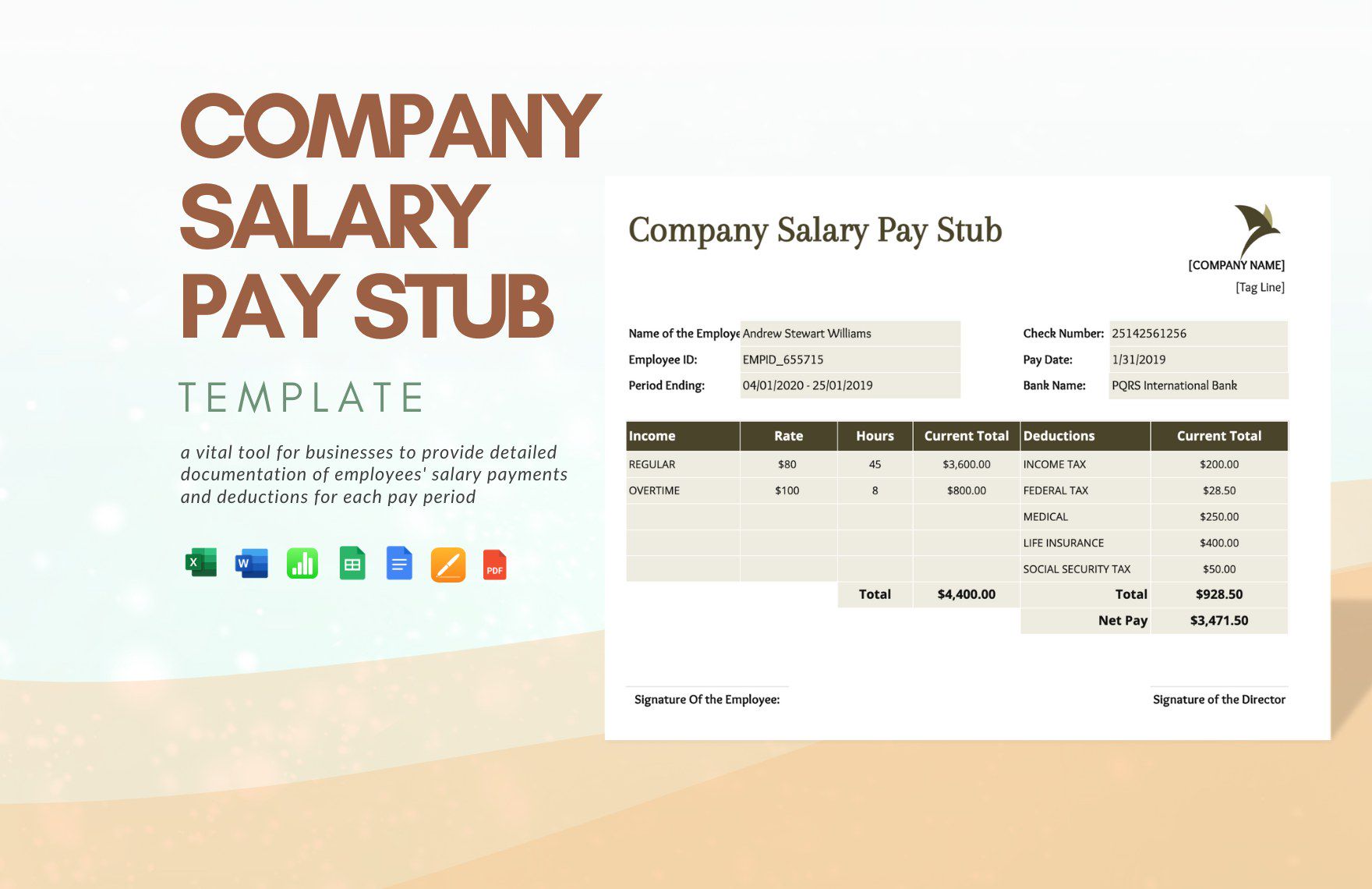
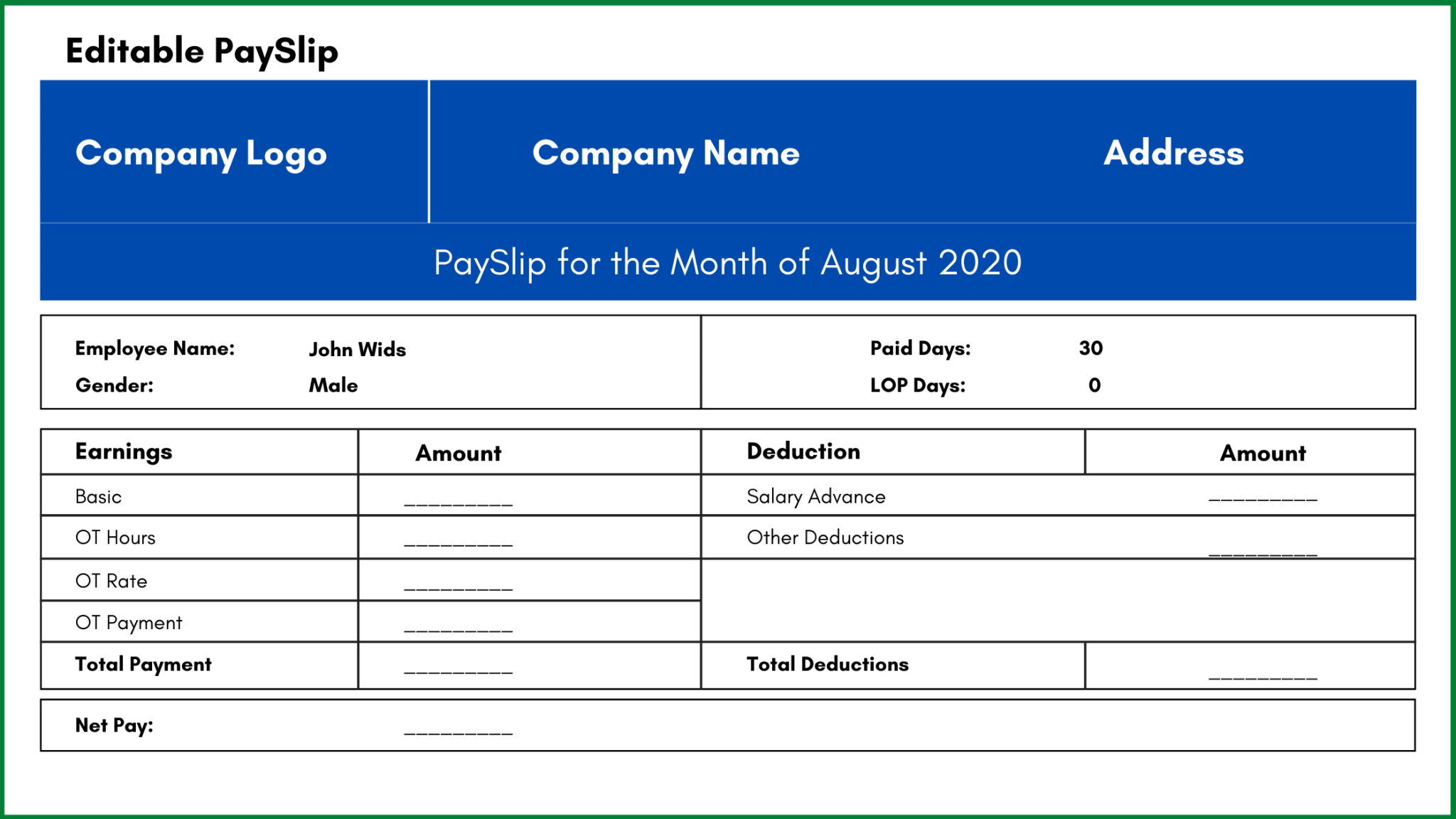
At the top of the form, you’ll often find the company name and logo. This branding helps to establish professionalism and makes it clear who the pay slip is from. Below this, there is usually a section for the employee’s name, ID number, and job title. Including this information is vital, as it personalizes the pay slip and ensures clarity regarding who is receiving payment.
Earnings Section
The earnings section breaks down the employee’s total pay. This might include various components such as:
- Hourly Rate or Salary: Clearly state the employee’s pay rate.
- Hours Worked: Include the total hours worked during the pay period.
- Overtime Pay: If applicable, list any overtime hours and the corresponding pay.
- Bonuses or Commissions: Any additional earnings should be itemized.
This detailed breakdown is crucial for transparency and helps employees understand how their total pay was calculated.
Deductions Section
Following the earnings section, the deductions area outlines all withholdings from the employee’s pay. Common deductions include:
- Federal Taxes: The amount withheld for federal income tax.
- State Taxes: Any state-specific taxes that apply.
- Social Security and Medicare: Mandatory contributions for social security and health insurance.
- Other Deductions: This might include retirement contributions or health insurance premiums.
Being transparent about deductions helps employees see exactly where their money is going and can prevent confusion.
Net Pay Section
The net pay section summarizes the total amount the employee will receive after all deductions are applied. It’s typically highlighted or bolded to draw attention, as this is the amount employees care about most.
Pay Period and Date
Finally, ensure that the pay period and the date of issuance are clearly indicated on the form. This information is essential for keeping accurate financial records and for employees to track their earnings over time.
How to Fill Out the Pay Slip Form
Filling out an Editable Printable Pay Slip Form correctly is crucial for accuracy. Start by entering the company and employee details in the designated fields. Next, accurately calculate the earnings and deductions.
- Input Employee Information: Fill in the employee’s name, ID, and job title.
- Calculate Earnings: Enter the total earnings, including any bonuses or overtime.
- List Deductions: Carefully itemize each deduction to ensure transparency.
- Calculate Net Pay: Subtract the total deductions from the total earnings to arrive at the net pay.
- Double-Check for Errors: Review all entries for accuracy to prevent any discrepancies that could lead to confusion or mistrust.
Using an editable format allows for easy updates and changes, ensuring that information remains current and accurate.
Best Practices for Printing the Pay Slip
When it comes to printing your Editable Printable Pay Slip Form, quality matters. Here are some tips to ensure that the printed version looks professional:
- Use Quality Paper: Opt for heavier paper or cardstock, as it conveys a sense of professionalism and durability.
- Check Printer Settings: Adjust your printer settings for the best quality. Portrait layout is often the most suitable for pay slips.
- Print a Test Copy: Before printing multiple copies, print a test page to check for any formatting issues.
- Consider Lamination: If the pay slip is to be kept for records, consider laminating to preserve it.
A well-printed pay slip not only looks professional but also conveys respect towards the employee, making them feel valued.
When to Use the Editable Printable Pay Slip Form
This form is especially useful during regular pay cycles but can also be utilized for special circumstances, such as:
- Year-End Bonuses: When issuing additional payments, a pay slip can clarify the breakdown.
- Termination Payments: If an employee leaves the company, a final pay slip can detail their last earnings and deductions.
- Freelancer Payments: For small businesses hiring freelancers, providing a pay slip can clarify payment terms and build trust.
By using this editable form in these scenarios, employers can maintain clear records and foster a transparent relationship with their employees.
The most useful detail is that keeping a digital copy of the pay slip allows for easy access and reduces the risk of loss.