When managing payroll for a small business, clarity and professionalism are essential. A Payslip Printable Template For Small Business can simplify this process, ensuring that employees receive accurate and clear documentation of their earnings. This guide will help small business owners understand the layout, sections, and practical applications of a payslip template, allowing for effective customization and immediate use.
Understanding the Payslip Layout
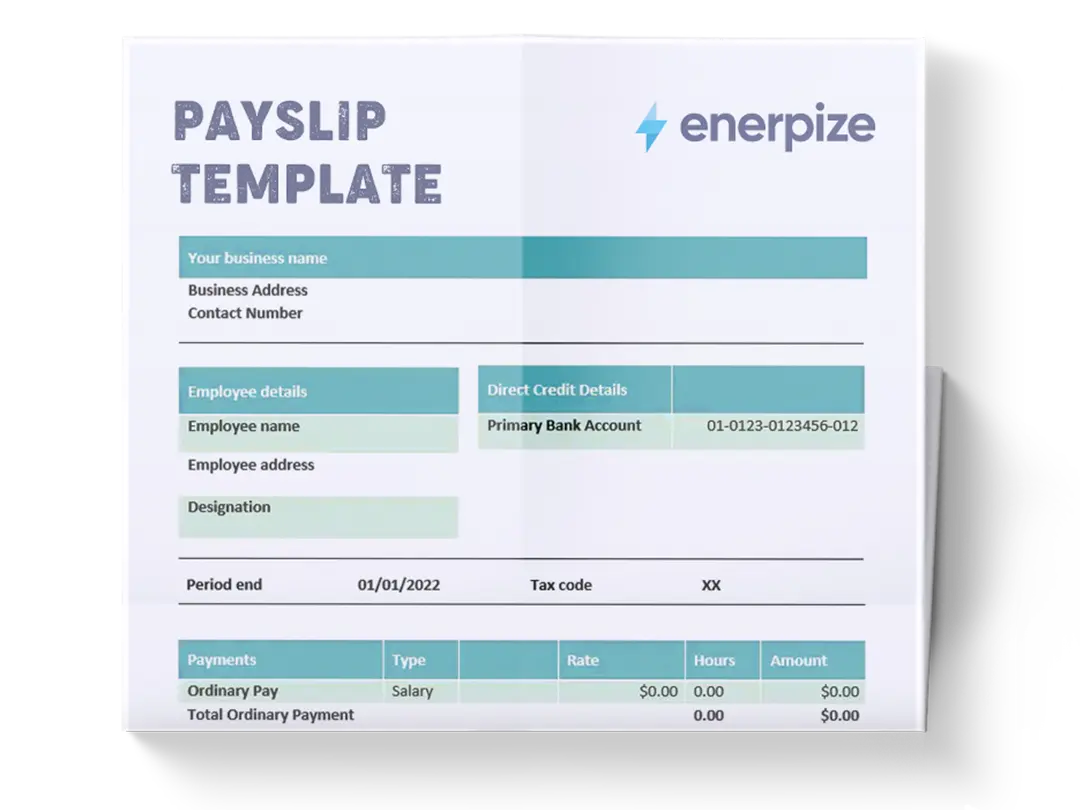
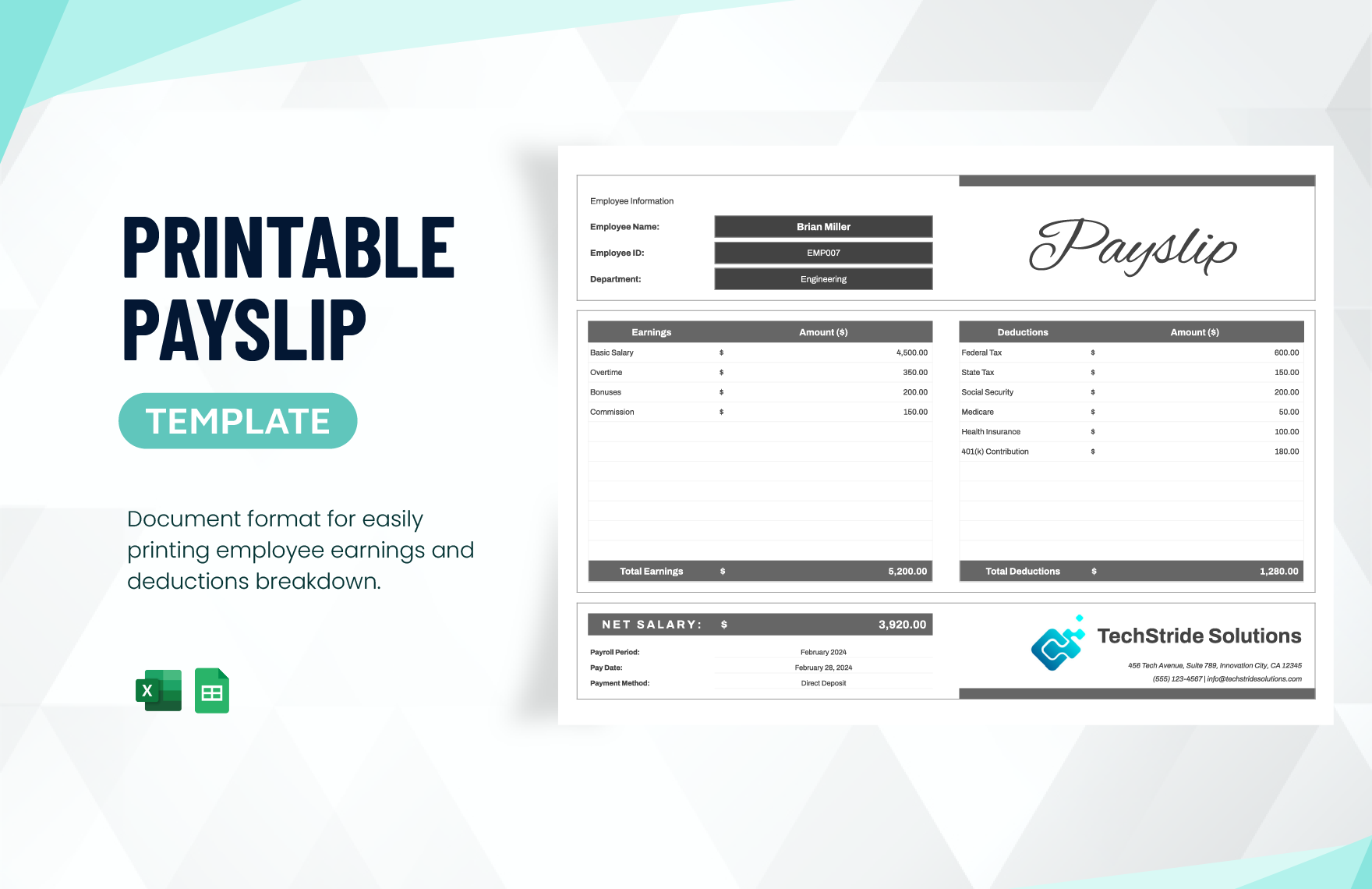
The layout of a payslip template typically consists of several key sections. Understanding these sections is crucial for effectively communicating payment details to employees.
- Employee Information: This section generally includes the employee’s name, employee ID, and position. It’s vital to ensure that this information is accurate, as it confirms to whom the payslip belongs.
- Employer Information: Similar to employee details, this area contains the business name, address, and contact information. This ensures that employees know who to contact for payroll inquiries.
- Pay Period: Clearly indicating the start and end dates of the pay period is essential. This section helps employees understand the timeframe for which they are being compensated.
- Earnings Breakdown: Here, you’ll list various components of the employee’s earnings, such as hourly wage, overtime, bonuses, and commissions. This breakdown provides transparency and helps employees see how their total pay was calculated.
- Deductions: This section outlines any deductions taken from the employee’s gross pay, including taxes, benefits, and retirement contributions. Clarity in this area is critical for ensuring employees understand their net pay.
- Net Pay: Finally, the net pay section shows the total amount the employee will receive after deductions. This figure is often highlighted to ensure it stands out.
By familiarizing yourself with these sections, you can more effectively utilize a payslip template tailored to your business’s needs.
Customizing Your Payslip Template
Customization is one of the significant benefits of using a printable payslip template. Here are practical tips for personalizing the template to fit your business requirements:
- Branding: Adding your business logo and branding colors not only enhances professionalism but also helps in creating brand recognition. Ensure that the resized logo fits well in the header without overwhelming the layout.
- Field Adjustments: Depending on your business’s specific needs, you might want to add or remove certain fields. For example, if you offer additional benefits or allowances, include those in the earnings breakdown.
- Currency Format: Ensure that the currency format matches your business’s location. For example, use the dollar sign ($) for USD to avoid confusion among employees.
- Print Settings: When printing, use a standard paper size such as A4 or Letter, depending on what your printer supports. Most templates are designed to fit well on these common sizes without requiring adjustments.
- Digital vs. Print: Decide whether to provide printed payslips or digital formats. If going digital, consider saving the template as a PDF to ensure that formatting remains consistent across different devices.
By following these customization tips, you can create a payslip that not only meets legal requirements but also reflects your business’s identity.
Practical Considerations for Usage
Implementing a payslip printable template involves some practical considerations that can enhance its effectiveness:
- Frequency of Distribution: Consider how often you will distribute payslips. Whether it’s weekly, bi-weekly, or monthly, consistency helps employees know when to expect their payslips.
- Record Keeping: Maintain copies of distributed payslips for your records. This is important for both tax purposes and to resolve any potential disputes regarding pay.
- Employee Education: Make sure employees understand how to read their payslips. Providing a brief guide or holding a meeting can clarify how to interpret various sections, especially deductions and net pay.
- Compliance: Stay updated on local employment laws regarding payslips. Some jurisdictions may have specific requirements for what must be included on payslips. Regularly review these laws to ensure compliance.
- Feedback Loop: Encourage employees to provide feedback on the payslip format. This can help identify areas for improvement and ensure the template meets everyone’s needs.
By taking these practical steps, you can ensure that your payslip template serves its purpose effectively and keeps payroll processes running smoothly.
Downloading and Printing Your Payslip Template
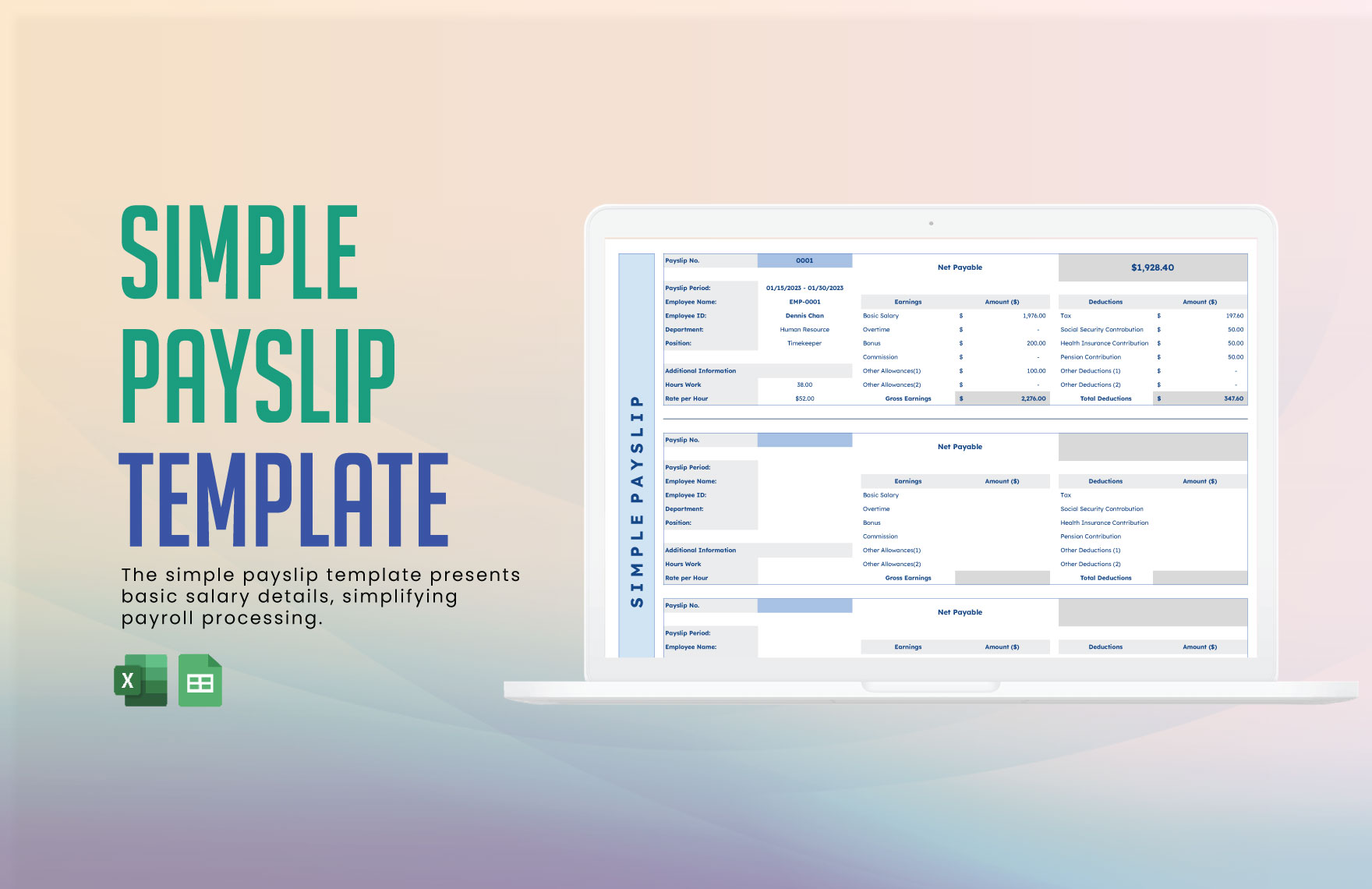
When it comes to downloading and printing your payslip template, there are a few options to consider:
- File Format: Most payslip templates are available in PDF or Word formats. PDF files maintain formatting across different devices and are generally the preferred option for printing. Word files offer more flexibility for customization.
- Download Location: Ensure you download the template from a reputable source. Look for websites that specialize in printable resources or templates for small businesses.
- Printing Tips: For the best print quality, use a high-resolution printer. If a color printer is available, using color can enhance the appearance of the payslip, but ensure it doesn’t compromise readability.
- Paper Choice: Choosing the right paper can make a difference. Standard printer paper is adequate, but using heavier cardstock can give a more professional feel, especially for printed copies.
- Distribution Method: Decide if you will distribute payslips in person, via email, or through a secure portal. Each method has its pros and cons, so choose one that best suits your business model and employee preferences.
By carefully considering these factors, you can streamline the process of managing payslips and ensure that your employees receive professional documentation promptly.