Creating a Customizable Printable Salary Slip Form is essential for any small business owner looking to maintain transparency and professionalism in payroll processing. This resource typically comes in a standard letter size (8.5 x 11 inches) and is designed for easy printing and customization. The form allows you to input various employee details, making it a versatile tool for managing salaries effectively.
Understanding the Layout of a Salary Slip
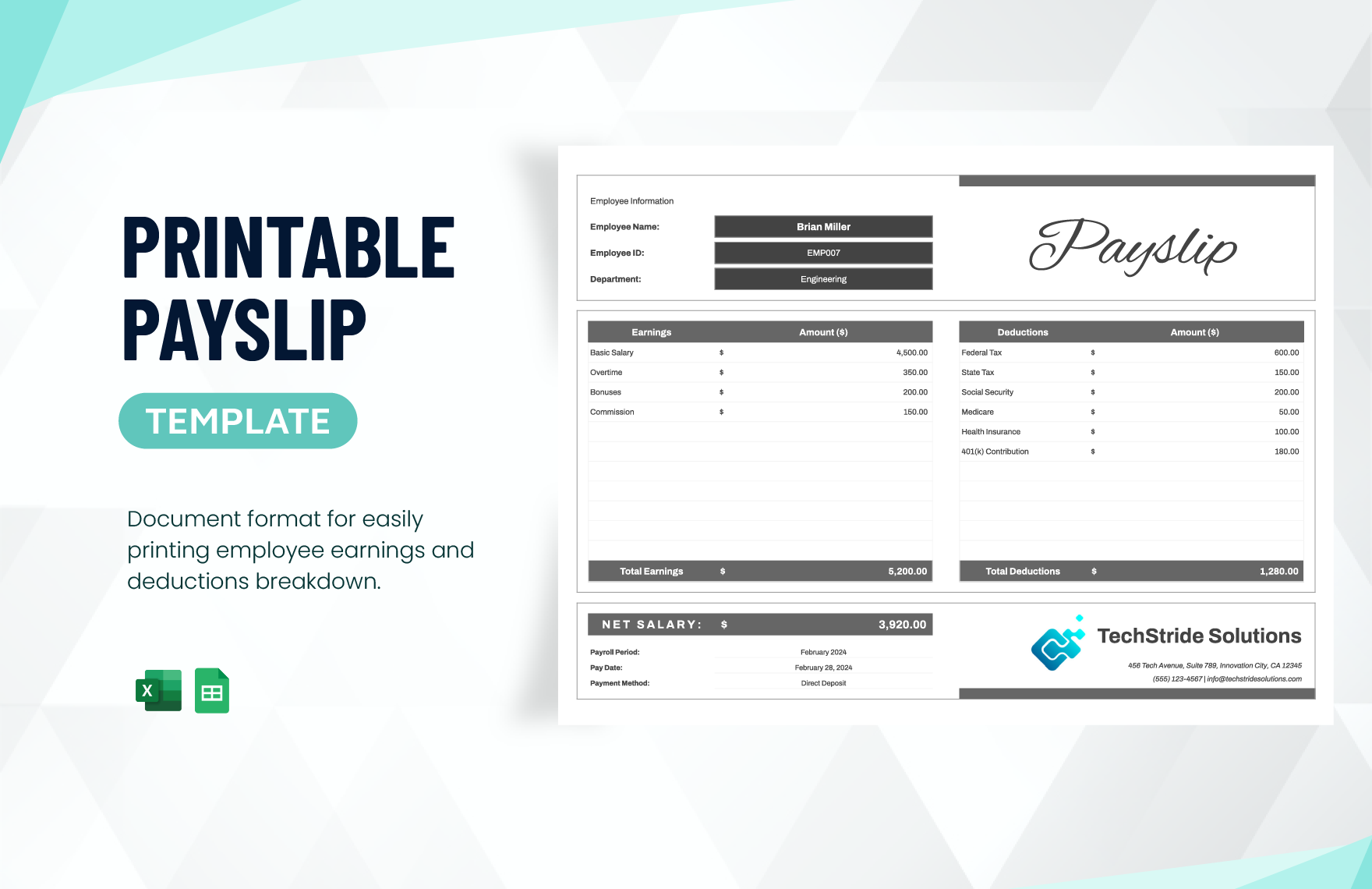
When you first look at the Customizable Printable Salary Slip Form, you’ll notice its clear layout, which is divided into distinct sections. Each section is designed to capture specific information, making it user-friendly for employers and employees alike.
Key Sections of the Salary Slip
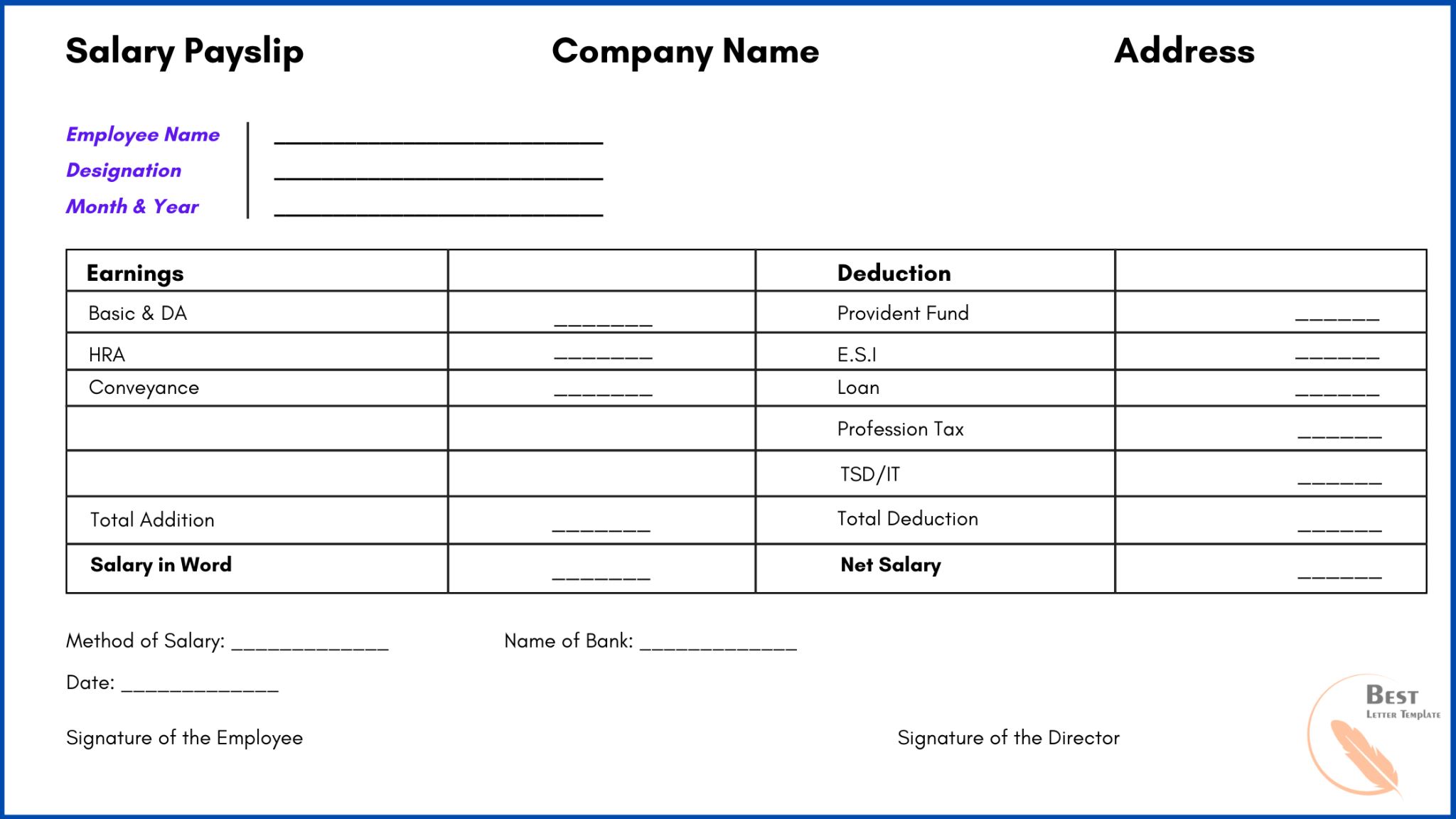
- Company Information: At the top, you’ll find fields for your company name, address, and contact details. This section helps establish the official nature of the slip and assures employees that their payment details are legitimate.
- Employee Details: Below the company information, there are fields for the employee’s name, employee ID, and designation. Including this information not only personalizes the slip but also aids in record-keeping.
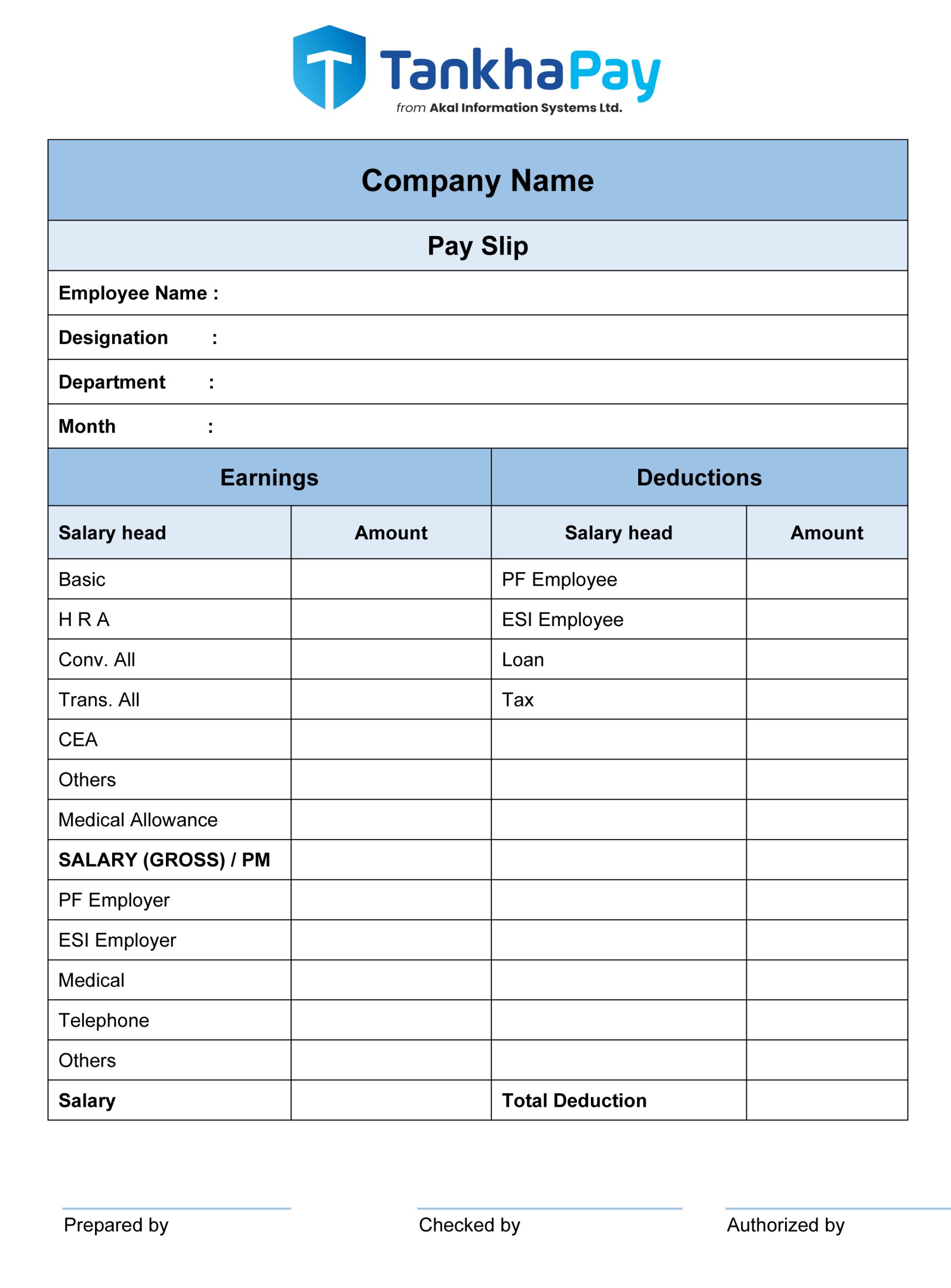
- Salary Breakdown: This section is crucial as it details the components of the employee’s salary, such as:
- Basic Salary
- Allowances (Housing, Transportation, etc.)
- Deductions (Tax, Insurance, etc.)
This breakdown provides employees with a transparent view of how their salary is calculated.
- Net Pay: At the bottom of the salary breakdown, the net pay is calculated automatically. This ensures that employees can easily see their take-home amount after deductions.
- Payment Date: Including the payment date on the slip is important for both you and your employees. It helps track payment schedules and keeps everyone informed about when payments are issued.
Preparing to Use the Salary Slip Form
Before filling out the Customizable Printable Salary Slip Form, it’s important to gather all relevant information. This preparation can make the completion process smoother and more efficient.
Information to Collect
- Employee Information: Ensure you have the correct employee name, ID, and designation.
- Salary Components: Have the latest salary figures ready, including basic pay, any allowances, and applicable deductions.
- Payment Schedule: Be aware of the pay period the slip covers, whether it’s weekly, bi-weekly, or monthly.
Having this information on hand before you start filling out the form will streamline the process and minimize errors.
Customization Options for Your Salary Slip
One of the primary benefits of using a Customizable Printable Salary Slip Form is the ability to tailor it according to your business’s branding and needs. This customization can enhance professionalism and recognition.
Design Elements to Consider
- Branding: Incorporate your company logo in the header to reinforce your brand identity.
- Color Scheme: Utilize your corporate colors for headings or borders. This adds a professional touch and makes the slip visually appealing.
- Font Choice: Choose a clear and legible font to ensure that all information is easy to read. A combination of serif for headings and sans-serif for body text often works well.
Customization doesn’t just make the salary slip look better; it also presents your business as organized and professional.
Printing Tips for Optimal Results
Once you’ve customized your salary slip, it’s time to print. The format you choose can affect the final output, so here are some tips for getting it right.
Paper and Printer Settings
- Paper Type: Use high-quality paper, preferably heavier than standard printer paper, such as 24 lb or 32 lb. This weight feels more substantial and professional.
- Printer Settings: Opt for a portrait layout when printing, which generally works better for most home and office printers. Adjust the settings to fit the paper size accurately to avoid any cut-off text.
Using the Salary Slip Form Effectively
After printing, the Customizable Printable Salary Slip Form can be distributed to employees either physically or digitally. Both methods have their advantages.
Physical Vs. Digital Distribution
- Physical Distribution: Handing out printed slips can create a personal touch, and employees may appreciate having a tangible record. This is particularly useful in smaller teams or in industries where face-to-face interaction is common.
- Digital Distribution: Sending salary slips via email or an internal HR system can save time and resources. Ensure that files are in PDF format to maintain the layout and prevent any unintended alterations.
Ultimately, the choice between physical and digital distribution will depend on your business model and preferences.
Using a Customizable Printable Salary Slip Form helps ensure that your payroll process is organized, transparent, and professional. By paying attention to layout, customization options, and printing techniques, small business owners can effectively manage their payroll documentation while fostering trust with their employees. Whether you choose to print on quality paper or send it digitally, this form is a valuable tool for any business looking to streamline salary management.